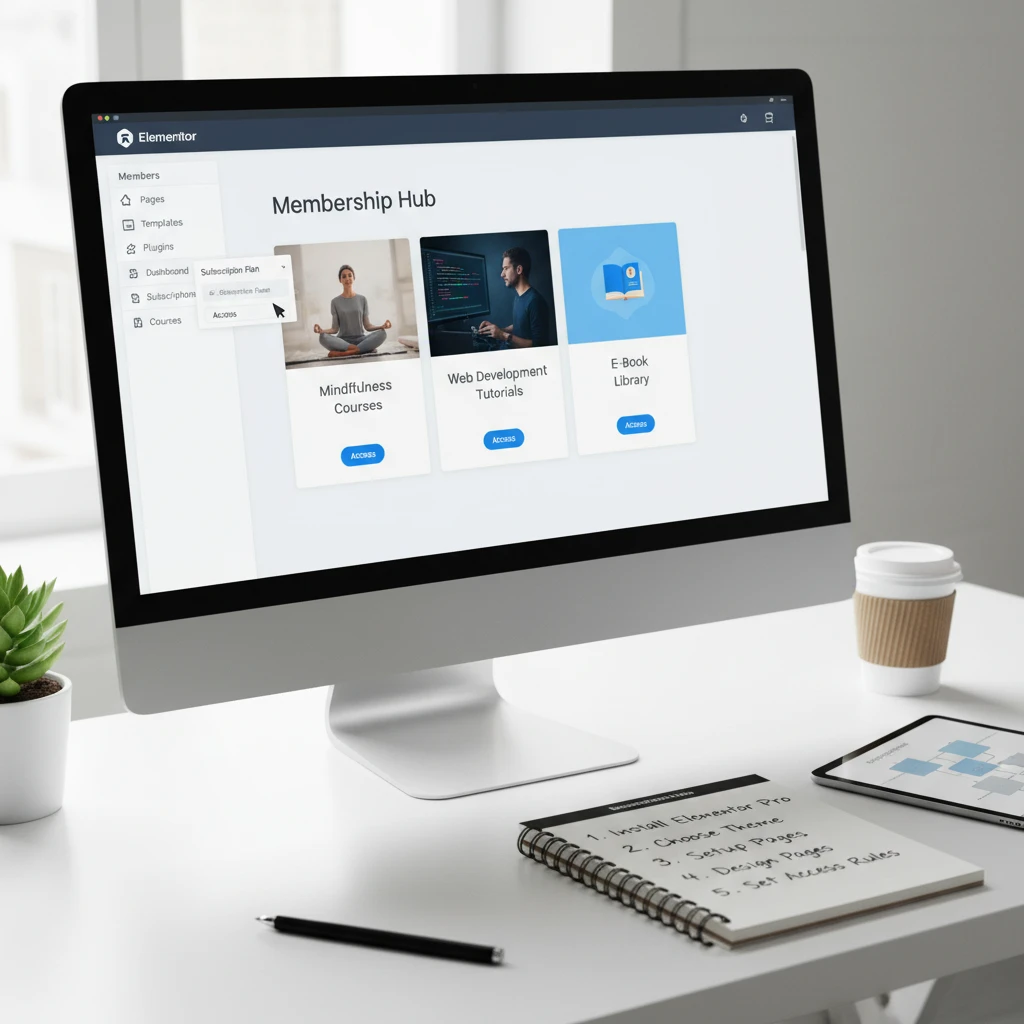
Are you looking for a sustainable way to generate recurring revenue? Building a membership website could be the perfect solution. By offering exclusive content, resources, or community access behind a paywall, you can create a loyal following and a consistent income stream.
This guide will walk you through the process of building a membership website using Elementor, a powerful and user-friendly WordPress page builder. We’ll cover everything from choosing the right plugins to setting up membership levels and payment gateways, ensuring you have a comprehensive understanding of the process by 2026 standards.
Unlock Recurring Revenue: Why a Membership Website?
Benefits of Membership Sites for Your Business
Membership websites offer a multitude of benefits beyond simply generating revenue. Firstly, they foster a stronger sense of community, encouraging interaction and loyalty among members. This direct connection allows for valuable feedback, helping you refine your offerings and better serve your audience. Secondly, a membership model provides predictable income, making financial planning and forecasting significantly easier compared to relying solely on one-time sales or advertising revenue. Thirdly, membership sites often lead to higher customer lifetime value. Members who regularly access valuable content are more likely to remain subscribed for longer, contributing to long-term profitability. Finally, a well-managed membership site can significantly enhance your brand authority. Position yourself as a trusted expert by providing exclusive, high-quality resources unavailable elsewhere. For example, CopyElement could offer a premium membership with advanced template access and priority support.
Examples of Successful Membership Website Niches (2026 Trends)
In 2026, several membership niches continue to thrive, while new ones emerge. Online courses and educational resources remain popular, with individuals seeking to upskill or learn new hobbies. Fitness and wellness programs, offering personalized workout routines and nutritional guidance, are also consistently in demand. Creative communities, such as those for writers, artists, or musicians, provide valuable peer support and skill-sharing opportunities. Niche professional development is another strong contender, where members gain access to industry-specific insights, training, and networking opportunities. Finally, consider communities built around specific software or tools. For CopyElement, a membership focusing on advanced Elementor techniques and exclusive template access could be highly successful.
Essential Features to Include in Your Membership Website
A successful membership website needs a suite of essential features. Robust user management is paramount, allowing you to easily track members, manage subscriptions, and control access to content. Secure payment gateway integration is crucial for processing payments safely and reliably (more on that later). Different membership levels provide flexibility and cater to varying needs and budgets. Content restriction capabilities ensure that only paying members can access premium resources. A user-friendly member dashboard allows members to manage their profiles, subscriptions, and access exclusive content. Finally, a vibrant community forum or discussion area encourages interaction and fosters a sense of belonging. Don’t forget about automated email marketing to onboard new members, remind them of renewal dates, and promote new content. Consider gamification elements, like badges or points, to further incentivize engagement.
Choosing the Right Tools: Elementor & Essential Plugins (2026 Edition)

Why Elementor is a Great Choice for Membership Sites
Elementor’s drag-and-drop interface makes it exceptionally user-friendly, even for those with limited coding experience. This ease of use translates to faster website development and easier content management. Its extensive library of pre-designed templates and widgets allows you to quickly create professional-looking pages without starting from scratch. Elementor’s flexibility also allows for extensive customization, ensuring your membership site aligns perfectly with your brand. Furthermore, Elementor integrates seamlessly with a wide range of membership plugins, payment gateways, and other essential tools. Consider the responsive design capabilities, crucial for ensuring a seamless experience across all devices. The visual editor allows you to see changes in real-time, streamlining the design process. For CopyElement, Elementor’s design flexibility is a major asset in showcasing its extensive template library.
Key Membership Plugins Compatible with Elementor
Several robust membership plugins integrate flawlessly with Elementor. MemberPress is a popular choice, offering comprehensive features such as subscription management, payment gateway integration, and content restriction. Paid Memberships Pro is another excellent option, providing a free core plugin with a wide range of add-ons for advanced functionality. Restrict Content Pro is a lightweight and easy-to-use plugin ideal for simpler membership sites. WooCommerce Memberships, designed for e-commerce businesses, allows you to offer membership perks and benefits to customers. When choosing a plugin, consider factors such as the features offered, pricing, ease of use, and compatibility with other plugins. Also, evaluate the level of support and documentation available. For instance, a plugin with strong Elementor integration and template options will be a better fit. Some plugins even have dedicated Elementor widgets. You can find a comprehensive comparison of top membership plugins on sites like WPBeginner.
Other Essential Plugins: Security, Forms, and SEO
Beyond membership-specific plugins, several others are crucial for a successful membership website. A robust security plugin like Wordfence is essential for protecting your site from malware and hacking attempts; review website security best practices often. A contact form plugin like WPForms simplifies the process of collecting user information and feedback. An SEO plugin like Yoast SEO helps you optimize your content for search engines, driving organic traffic to your site. Consider also using a caching plugin like WP Rocket to improve website speed and performance. Finally, an email marketing plugin like Mailchimp allows you to effectively communicate with your members. Remember that image optimization is also key to performance. Make sure you choose plugins that are well-maintained, regularly updated, and compatible with Elementor to avoid conflicts and security vulnerabilities.
Setting Up Your WordPress Foundation: Installation & Theme Selection
WordPress Installation: A Quick Refresh (2026)
While most web hosting providers offer one-click WordPress installation, understanding the manual process can be beneficial. The core steps involve downloading the latest version of WordPress from wordpress.org, creating a database on your hosting server, and uploading the WordPress files to your server via FTP or a file manager. You’ll then need to run the WordPress installation script, providing your database credentials and site information. While one-click installers automate this process, familiarizing yourself with the manual steps can help troubleshoot potential issues. Ensure your hosting environment meets the minimum requirements for WordPress, including PHP version and MySQL version. Remember to change the default database table prefix for enhanced security. Always back up your website before making any major changes or updates.
Choosing an Elementor-Friendly Theme (Performance Considerations)
Selecting an Elementor-friendly theme is crucial for ensuring a smooth website building experience. Look for themes that are lightweight, well-coded, and specifically designed to integrate seamlessly with Elementor. Avoid bloated themes with unnecessary features, as these can negatively impact website performance. Check for reviews and ratings to gauge the theme’s reliability and user satisfaction. Consider themes that offer pre-designed templates compatible with Elementor, saving you time and effort. Popular choices include Hello Elementor (a blank canvas theme), Astra, and GeneratePress. Prioritize themes optimized for speed and performance, as a fast-loading website is essential for user experience and SEO. Check the theme’s compatibility with essential plugins, such as those for membership, security, and SEO. Performance optimization is key, especially when users might be accessing large template libraries from CopyElement’s membership areas.
Essential Theme Customization for Membership Functionality
After installing your chosen theme, you’ll need to customize it to integrate seamlessly with your membership plugin. This may involve creating custom page templates for member dashboards, login/registration forms, and restricted content areas. You’ll also need to customize the navigation menu to provide easy access to member-specific content. Use Elementor’s theme builder to create custom headers and footers, ensuring a consistent design across your entire website. Consider adding custom CSS to further enhance the visual appeal of your membership site. Pay attention to the responsiveness of your theme, ensuring it looks great on all devices. Ensure that your header and footer clearly display membership options and are easy to navigate. Consider adding a dedicated membership area to the footer for easy access.
Installing and Configuring Your Membership Plugin with Elementor
Plugin Installation & Activation (Example: MemberPress, Paid Memberships Pro)
Installing your chosen membership plugin is a straightforward process. Navigate to the “Plugins” section in your WordPress dashboard, click “Add New,” and search for your desired plugin (e.g., MemberPress or Paid Memberships Pro). Click “Install Now” and then “Activate” to enable the plugin. After activation, you’ll typically be redirected to the plugin’s settings page, where you can begin configuring your membership options. Before activating, ensure the plugin is compatible with your version of WordPress and Elementor. Check the plugin’s documentation for any specific installation instructions. For CopyElement users, ensure the plugin is compatible with your chosen Elementor templates and widgets. Avoid activating multiple membership plugins simultaneously to prevent conflicts.
Configuring Membership Levels & Pricing
Configuring your membership levels is a crucial step in creating a successful membership site. Define different tiers of membership, each offering varying levels of access and benefits. Consider factors such as the content available, the level of support provided, and the exclusivity of the offering. Set appropriate pricing for each membership level, taking into account the value provided and the pricing of competing membership sites. Offer a variety of payment options, such as monthly, quarterly, or annual subscriptions. Consider offering a free trial or a limited-time discount to attract new members. Clearly communicate the benefits of each membership level to potential subscribers. For CopyElement, membership levels could differentiate access to basic templates, advanced components, and exclusive support. The pricing should reflect the value of these resources for accelerating website development workflows.
Setting Up Payment Gateways (Stripe, PayPal)
Integrating secure payment gateways is essential for processing membership payments. Most membership plugins support popular payment gateways such as Stripe and PayPal. To set up a payment gateway, you’ll typically need to create an account with the provider and obtain API keys or credentials. Enter these credentials into your membership plugin’s settings page. Configure payment options, such as supported currencies and payment methods. Test your payment gateway integration thoroughly to ensure payments are processed correctly. Implement SSL encryption to protect sensitive payment information. Consider offering multiple payment gateway options to cater to a wider audience. For CopyElement, ensure that recurring billing is enabled for subscription renewals. Consider offering discounts for annual subscriptions paid upfront to incentivize longer-term commitments. Always keep your payment gateway integrations updated to maintain security and compliance. Make sure to review essential website security tips to ensure safe transactions.
Designing Protected Content Pages with Elementor
Creating Restricted Content Pages (Courses, Articles, Downloads)
The core of your membership site lies in its protected content. Elementor simplifies creating visually appealing pages for courses, articles, downloads, and other member-exclusive resources. Start by designing a template page that showcases your content. For courses, this might include video lectures, downloadable resources, and progress tracking. For articles, focus on readability and visual hierarchy. For downloads, clearly display file information and download links. Remember to use Elementor’s dynamic content features to personalize the experience, showing relevant content to each member based on their subscription level. Crucially, after designing the look of the content page in Elementor, integrate your chosen membership plugin’s content restriction features to ensure only authorized members can access the page. Plugins often offer shortcodes or widgets you can embed directly into your Elementor design to control access. Ensure the URL for this content is properly protected; otherwise, a direct link could bypass all your Elementor design work. A common pitfall is creating visually stunning pages without properly configuring the content restriction – always double-check this.
Example: Imagine a “Premium Course” page with video lessons. Using Elementor, design a clean layout with a video player, lesson descriptions, and downloadable workbooks. Then, using your membership plugin (e.g., MemberPress, Paid Memberships Pro), restrict access to members with a “Premium” subscription level only. Non-members should see a teaser and a call-to-action to upgrade. Your video URLs should be secured, too. This could involve using a video hosting platform that offers private embedding or direct downloads protected behind a paywall.
Elementor Design Tips for Engaging Membership Content
To keep your members engaged, pay special attention to the user experience. Use clear and concise headings, break up large blocks of text with visuals, and incorporate interactive elements like quizzes or polls. Leverage Elementor’s styling options to create a consistent brand experience across all your protected pages. Pay attention to typography, color palettes, and image optimization to ensure a professional and polished look. Furthermore, consider implementing features like progress bars for courses or download trackers for resources to provide a sense of accomplishment and gamification. Prioritize readability. For body text, use a font size of at least 16px and ensure sufficient contrast between the text and background. Mobile responsiveness is paramount – test your designs on various devices to ensure a seamless experience for all members. Don’t forget accessibility; consider using heading tags appropriately and adding alt text to images. Neglecting these design principles can lead to a poor user experience and higher churn rates.
Using Elementor’s Conditional Display for Personalized Content
Elementor’s conditional display feature allows you to show or hide specific elements based on user roles, login status, or other criteria. This is extremely powerful for personalizing the membership experience. For example, you can display a welcome message tailored to each member’s name and subscription level, showcase exclusive content recommendations based on their interests, or provide personalized support options. To use this feature, select the element you want to conditionally display, navigate to the “Advanced” tab in the Elementor editor, and configure the display conditions. You’ll typically use a membership plugin that integrates with Elementor to provide the user role or membership level criteria. A common application is to show a prominent “Upgrade Now” button only to members with a basic subscription. Another use case is to display personalized onboarding messages based on the date the member joined. Conditional display can also be combined with dynamic content features. For example, a beginner’s tutorial section is shown only to new members using their registration date, enhancing their onboarding experience.
Building a User-Friendly Membership Dashboard with Elementor
Dashboard Design Best Practices
The membership dashboard is the central hub for your members, providing access to their profile, membership information, and protected content. A well-designed dashboard should be intuitive, easy to navigate, and visually appealing. Prioritize clarity and simplicity. Use a clean layout with clear headings and labels. Avoid overwhelming members with too much information on a single page. Instead, organize the dashboard into logical sections, such as “My Profile,” “My Courses,” “My Downloads,” and “Support.” Use icons and visual cues to guide users and make the dashboard more engaging. Ensure that the dashboard is mobile-responsive and accessible to all members. Use a consistent design language that matches the overall look and feel of your website. One frequent mistake is failing to think through the user journey. What are the most common tasks a member will perform? Make these tasks easily accessible and prominent. Another pitfall is overloading the dashboard with non-essential information – keep it focused and user-centric.
Including Profile Editing, Membership Information, and Content Access
Your membership dashboard needs to provide easy access to essential member information and functionalities. Include a profile editing section where members can update their personal details, such as their name, email address, and password. Display their current membership level, expiration date, and payment information clearly. Provide direct links to their protected content, such as courses, articles, and downloads. Use Elementor’s dynamic content features to populate these sections with personalized information. Consider adding a progress bar for courses or a download history for resources. Integrate your membership plugin’s shortcodes or widgets to display this information dynamically. For profile editing, it is best practice to link to the plugin’s profile edit pages (usually generated automatically) rather than trying to replicate the functionality within Elementor. Always ensure proper data validation on forms to prevent errors. Also, make sure any password changes are handled securely, ideally through the membership plugin’s built-in features rather than a custom Elementor form. For a great example of a well-designed membership site and dashboard, take a look at the SPI Pro platform.
Making the Dashboard Mobile-Responsive
With a significant portion of website traffic coming from mobile devices, ensuring your membership dashboard is fully mobile-responsive is crucial. Use Elementor’s responsive editing mode to optimize the dashboard for different screen sizes. Adjust font sizes, spacing, and column layouts to ensure a seamless experience on smartphones and tablets. Test the dashboard on various devices to identify any potential issues. Consider using a mobile-first design approach, starting with the mobile layout and then adapting it for larger screens. Simplify navigation on mobile devices by using a hamburger menu or other mobile-friendly navigation patterns. Optimize images for mobile devices to reduce loading times. Always preview the dashboard on real mobile devices – the Elementor preview is useful but not always 100% accurate. Neglecting mobile responsiveness will frustrate mobile users and damage the overall user experience. Pay special attention to touch targets; make sure buttons and links are large enough to be easily tapped on smaller screens. Prioritize essential information and hide less important elements on mobile devices to avoid clutter.
Integrating Email Marketing for Member Communication
Connecting Your Membership Plugin to Email Marketing Platforms (Mailchimp, ConvertKit)
Email marketing is essential for engaging with your members, promoting new content, and driving renewals. Seamlessly integrate your membership plugin with popular email marketing platforms like Mailchimp, ConvertKit, or ActiveCampaign. These platforms typically offer integrations that allow you to automatically add new members to your email list, segment them based on their membership level, and trigger automated email sequences. Look for plugins or add-ons that facilitate this integration. For example, many membership plugins have direct integrations with Mailchimp or offer Zapier integrations to connect with other platforms. Ensure that your integration complies with GDPR and other privacy regulations. Obtain explicit consent from members before adding them to your email list. Provide a clear and easy way for members to unsubscribe from your emails. A key factor is choosing an email platform that integrates well with your chosen membership plugin, as mentioned in a recent SEO audit. Furthermore, consider using double opt-in to verify email addresses and improve deliverability.
Setting Up Automated Welcome Emails and Onboarding Sequences
Automated welcome emails and onboarding sequences are crucial for setting the tone for your membership program and guiding new members through the initial stages. Create a welcome email that greets new members, thanks them for joining, and provides essential information about their membership. Include instructions on how to access protected content, update their profile, and contact support. Design an onboarding sequence that gradually introduces members to your platform, highlights key features, and encourages engagement. This sequence might include emails showcasing popular content, inviting members to join the community, and offering exclusive discounts. Personalize your welcome emails and onboarding sequences based on membership levels or user interests. Use your email marketing platform’s automation features to trigger these emails automatically when a new member joins. A well-crafted onboarding sequence can significantly improve member retention and engagement. For example, schedule the first welcome email to go out immediately after registration and then follow it up with 2-3 more onboarding emails in the next week.
Segmenting Your Email List Based on Membership Levels
Segmenting your email list based on membership levels is essential for delivering targeted and relevant messages to your members. Create separate segments for each membership level (e.g., Free, Basic, Premium) and tailor your email content accordingly. For example, you can promote premium content upgrades to basic members, offer exclusive discounts to premium members, or provide targeted support to free members. Use your membership plugin’s integration with your email marketing platform to automatically segment your list based on membership level. You can also segment your list based on other criteria, such as user interests, purchase history, or engagement level. Use these segments to send personalized emails that resonate with each group of members. For example, if you have a segment of members interested in a specific topic, send them emails about new content related to that topic. Effective segmentation leads to higher engagement rates, fewer unsubscribes, and increased conversions. Another application of segmentation would be to offer an abandoned cart email to those who started but did not complete the subscription process.
Testing & Launching Your Elementor Membership Site (Pre-Launch Checklist)
Thoroughly Testing Membership Functionality (Payment, Access, Content)
Before launching your membership site, conduct thorough testing to ensure all functionality is working correctly. This includes testing payment processing, membership access, content restriction, and user registration. Create test accounts for each membership level and verify that members can access the correct content. Process test payments using a sandbox or test mode provided by your payment gateway. Verify that content is properly restricted to authorized members. Test user registration and login processes to ensure they are working smoothly. Test all forms and ensure data is being submitted correctly. Check for any broken links or errors. Test the website on different browsers and devices. Enlist beta testers to provide feedback on the user experience. Pay close attention to error messages and resolve any issues before launching. Ignoring thorough testing can lead to a poor user experience and damage your reputation. For example, if a member pays for a premium subscription but cannot access premium content, they will likely request a refund and leave a negative review. Remember to test edge cases, such as expired memberships and cancellation processes.
Optimizing Website Speed and Performance
Website speed and performance are crucial for a positive user experience and improved SEO. Optimize your website for speed by compressing images, leveraging browser caching, and using a content delivery network (CDN). Use a caching plugin to improve website loading times. Minify CSS and JavaScript files. Choose a fast and reliable web hosting provider. Optimize your Elementor templates for performance by avoiding excessive use of widgets and keeping your designs clean and simple. Use a performance testing tool like Google PageSpeed Insights to identify areas for improvement. Address any issues identified by the testing tool. Monitor your website’s performance regularly and make adjustments as needed. A slow website can frustrate members and lead to higher churn rates. According to Google, image optimization is one of the most important aspects of website speed and it’s especially critical for media-rich membership sites. Remember to optimize your database regularly to remove unnecessary data.
Creating a Marketing Plan for Launch
A well-defined marketing plan is essential for a successful membership site launch. Identify your target audience and develop a marketing strategy to reach them. This might include email marketing, social media marketing, content marketing, and paid advertising. Create a launch plan with specific goals, timelines, and milestones. Build anticipation for the launch by teasing your membership site on social media and email. Offer early bird discounts or other incentives to encourage people to sign up. Create high-quality content that showcases the value of your membership program. Reach out to influencers and bloggers in your niche to promote your launch. Track your marketing efforts and analyze the results. Adjust your marketing strategy as needed based on the data. Consider building a sales funnel, like the kind that can be constructed with Elementor, that guides potential members to purchase a subscription. A successful launch requires careful planning and execution. Don’t rely on luck – have a solid marketing plan in place to maximize your chances of success.
Promoting Your Membership Website (2026 Marketing Strategies)
Effective marketing is crucial for attracting new members and sustaining your membership website’s growth. In 2026, leveraging a multi-channel approach is vital, blending content marketing, social media engagement, and paid advertising strategies to reach your target audience. Remember to analyze your marketing efforts regularly to understand which tactics resonate best with prospective members and adjust your strategy accordingly.
Leveraging Content Marketing for Member Acquisition
Content marketing remains a cornerstone of digital marketing. Create valuable and engaging content that addresses the needs and interests of your target audience. This includes blog posts, videos, infographics, and downloadable resources. Focus on providing solutions to common problems, sharing industry insights, and showcasing the benefits of your membership. For example, CopyElement could offer free templates or UI kits to attract new users and demonstrate the value of their premium membership. Optimize your content for search engines using relevant keywords to improve visibility. Consider using AI to generate content ideas and outlines, as well as assist with the writing process, but always ensure content is factually correct and aligns with your brand voice. Remember to promote your content across various channels to maximize its reach. Providing valuable information can establish your website as an authority and encourage visitors to explore your membership options.
Using Social Media to Build Your Community
Social media platforms offer excellent opportunities to build a community around your membership website. Identify the platforms where your target audience is most active and tailor your content accordingly. Share engaging content, participate in relevant discussions, and run contests or giveaways to increase engagement. Consider hosting live Q&A sessions with industry experts or creating exclusive social media groups for members. Building a strong social media presence can help you attract new members and foster a sense of community among existing members. For CopyElement, showcasing user-created websites built with their templates and components would be a great strategy. Furthermore, remember that accessibility is key, and design posts with accessibility in mind.
Exploring Paid Advertising Options
Paid advertising can be an effective way to reach a wider audience and drive targeted traffic to your membership website. Consider using platforms like Google Ads, social media advertising, and retargeting campaigns. Define your target audience, set a budget, and create compelling ad copy that highlights the benefits of your membership. Test different ad variations to optimize your campaigns for maximum ROI. Be careful about advertising costs, and use analytics tools to accurately assess the cost of acquisition. For example, CopyElement could run ads targeting web designers and developers searching for Elementor templates and components. Remember to carefully track your campaign performance and adjust your strategy as needed. A/B test ad creatives to see which ones perform best.
Maintaining & Scaling Your Elementor Membership Site
Once your membership website is up and running, ongoing maintenance and scaling are essential for long-term success. This involves regularly updating your website, monitoring performance, and adding new content and features to keep members engaged. Failing to maintain your site properly can lead to security vulnerabilities, performance issues, and member churn. Continuous improvement is key.
Regularly Updating WordPress, Elementor, and Plugins
Keeping your WordPress installation, Elementor plugin, and all other plugins updated is crucial for security and performance. Updates often include bug fixes, security patches, and new features. Regularly check for updates and install them promptly. Before updating, create a backup of your website to prevent data loss in case of compatibility issues. Schedule updates during off-peak hours to minimize disruption to your users. Consider using a staging environment to test updates before deploying them to your live website. Neglecting updates can expose your website to security threats and compromise user data, underscoring the importance of WordPress security.
Monitoring Website Performance and User Feedback
Monitor your website’s performance regularly to identify and address any issues that may affect user experience. This includes tracking page load times, website uptime, and server resources. Use tools like Google Analytics and Pingdom to monitor your website’s performance. Collect user feedback through surveys, feedback forms, and social media monitoring. Address any issues promptly and use feedback to improve your website’s functionality and user experience. Consider the importance of optimizing images as part of your performance monitoring, as large image files are a common cause of slowdowns. You can learn more about Elementor image optimization to improve your website’s speed.
Adding New Content and Features to Keep Members Engaged
Keeping your membership website fresh and engaging is essential for retaining members. Regularly add new content, such as blog posts, videos, and downloadable resources. Consider introducing new features or functionalities based on user feedback and industry trends. Offer exclusive content and benefits to paying members to incentivize them to stay subscribed. Run contests, giveaways, and special promotions to increase engagement. For CopyElement, consistently releasing new templates and UI components would be critical for retaining paying customers. This continuous stream of value ensures that members perceive a strong return on their investment.
Common Pitfalls and Troubleshooting Tips for Elementor Membership Sites
Building and maintaining an Elementor membership site can present several challenges. Common pitfalls include plugin compatibility issues, payment gateway errors, and user access problems. Understanding these issues and knowing how to troubleshoot them can save you time and frustration.
Plugin Compatibility Issues and Solutions
Plugin conflicts are a common issue in WordPress websites. When two or more plugins are incompatible, they can cause errors, break functionality, or even crash your website. If you experience issues after installing a new plugin, try deactivating your other plugins one by one to identify the conflicting plugin. Once you’ve identified the conflicting plugin, contact the plugin developers for support or consider using an alternative plugin. Before installing any new plugin, check its compatibility with your current WordPress and Elementor versions. For example, if you’re using a certain membership plugin, make sure it plays nicely with other plugins used for creating custom headers and footers.
Troubleshooting Payment Gateway Errors
Payment gateway errors can be frustrating for both you and your members. These errors can prevent members from subscribing or renewing their memberships. Common payment gateway errors include incorrect API credentials, security certificate issues, and insufficient funds. Check your payment gateway settings and make sure your API credentials are correct. Ensure that your website has a valid SSL certificate. If you’re still experiencing issues, contact your payment gateway provider for support. Provide clear error messages to your users and offer alternative payment methods. Test your payment gateway regularly to identify and address any issues before they affect your members.
Addressing User Access Problems
User access problems can prevent members from accessing content or features that they’re entitled to. Common user access problems include incorrect user roles, forgotten passwords, and account activation issues. Make sure that members are assigned the correct user roles and that their accounts are properly activated. Provide a clear and easy-to-use password recovery process. If a member is unable to access their account, investigate the issue and provide prompt support. Consider implementing two-factor authentication to enhance account security. Regularly audit user accounts to identify and remove any inactive or unauthorized accounts. Ensure that the rules regarding access control are clearly defined in your terms of service. Example: A member purchases a “Pro” plan but their account is mistakenly configured for the “Basic” plan. Ensure a system is in place for easy corrections.
Future-Proofing Your Membership Site: Emerging Trends in 2026 and Beyond
The digital landscape is constantly evolving, and membership websites are no exception. To future-proof your website, it’s important to stay abreast of emerging trends and adapt your strategy accordingly. This includes embracing new technologies, adopting innovative marketing techniques, and focusing on personalization and community building. You can explore these trends and predictions further by reading industry reports from sources such as Gartner.