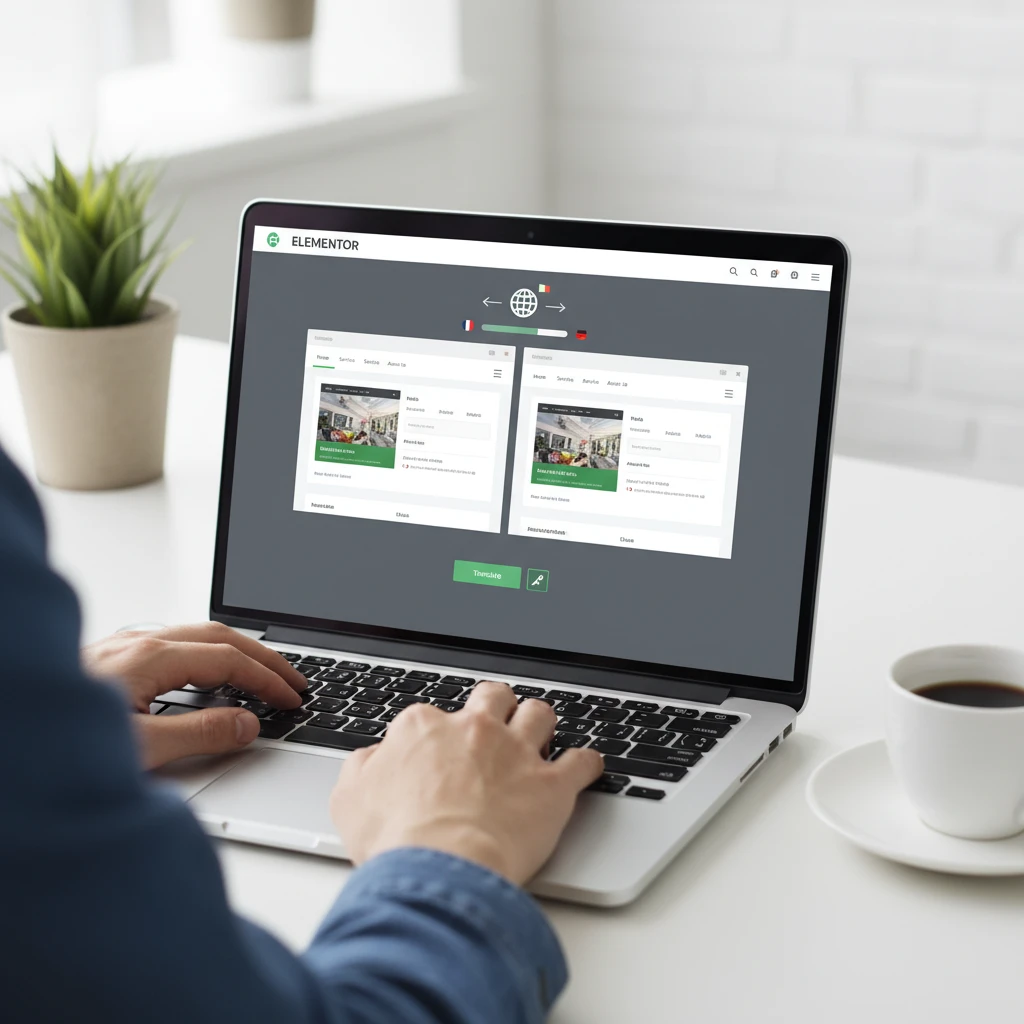
In today’s globalized landscape, limiting your website to a single language is like closing your doors to a significant portion of potential customers. If you’re building websites with Elementor, expanding into multiple languages has become remarkably accessible. This guide explores the benefits of creating a multi-language Elementor website and provides a practical roadmap for implementation.
We’ll walk you through selecting the right translation plugin, configuring it for Elementor, and ensuring your content resonates with diverse audiences. By the end of this guide, you’ll be well-equipped to unlock new markets and improve user engagement with a multilingual Elementor website.
Why Go Multi-Language with Your Elementor Website in 2026?
In 2026, the expectation of localized content is no longer a novelty but a necessity for businesses seeking to thrive online. A multi-language website offers a compelling set of advantages, far beyond simple translation. It’s about connecting with your audience on a deeper level, building trust, and expanding your reach in a meaningful way. Ignoring this trend means potentially losing ground to competitors who are already catering to a global audience. The decision to invest in a multilingual website built with Elementor is an investment in future growth and sustainability.
Expanding Your Reach: Tapping into New Markets
Offering your website in multiple languages breaks down geographical barriers and opens doors to entirely new customer bases. Consider the potential growth if your content was accessible not only to English speakers but also to Spanish, French, or Mandarin speakers. Each new language represents a significant untapped market. For example, a small business selling handcrafted goods through an Elementor-built e-commerce site could see a 30-40% increase in sales by offering Spanish and French versions of their website, according to internal projections based on market analysis. The initial investment in translation and plugin setup is often quickly offset by the increased revenue generated from these new markets. A crucial decision point is to research which markets align with your product or service and prioritize languages accordingly.
Boosting SEO: Targeting Multiple Language Keywords
Search engines prioritize localized content. By translating your website, you’re not just making it accessible to more people; you’re also significantly improving your SEO performance in different regions. This involves not only translating the content but also conducting keyword research in each target language to identify the terms that potential customers are actually using. For instance, the keyword “website builder” may have different search volume and competition compared to its Spanish translation, “creador de sitios web.” Strategically targeting these language-specific keywords allows you to rank higher in search results within those regions. Remember that simply using machine translation without proper keyword research will likely be ineffective and might even harm your SEO if the translations are inaccurate or unnatural. The key is to combine professional translation with thorough keyword analysis.
Improving User Experience: Speaking Your Audience’s Language
A website in a visitor’s native language creates a more comfortable and engaging experience, increasing the likelihood of conversions and repeat visits. Think about your own online behavior: are you more likely to purchase from a website that’s easy to understand and caters to your cultural preferences, or one that forces you to navigate through unfamiliar language and terminology? Providing a seamless, localized experience builds trust and demonstrates that you value your customers’ needs. This includes not only translating text but also adapting images, currency, and other elements to suit the local culture. A positive user experience translates directly into increased customer loyalty and positive word-of-mouth marketing. This approach to localization is especially important, as highlighted in this guide to localization UX design.
Choosing the Right Multi-Language Plugin for Elementor
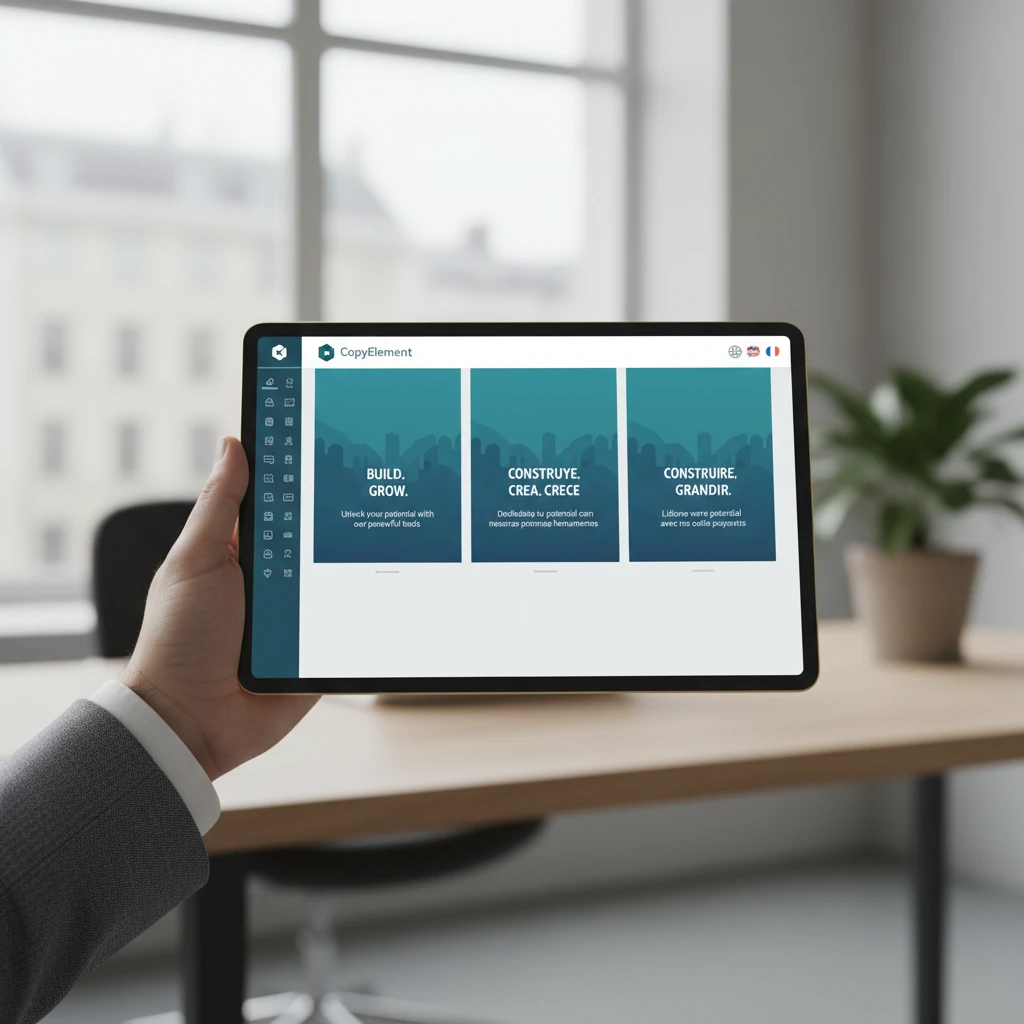
Selecting the right plugin is crucial for a smooth multi-language integration with Elementor. The WordPress plugin ecosystem offers several options, each with its own strengths and weaknesses. The ideal plugin will depend on your budget, technical expertise, and the complexity of your website. Consider factors such as the type of translation method you prefer (manual vs. automatic), the level of compatibility with Elementor and other plugins, and the pricing structure. Making the wrong choice can lead to compatibility issues, performance bottlenecks, and ultimately, a frustrating user experience. Therefore, thorough research and potentially testing a few different plugins are essential before making a final decision.
Considerations: Translation Method (Manual vs. Automatic)
The core decision revolves around how your content will be translated. Manual translation provides the highest level of accuracy and cultural relevance, as it allows human translators to adapt the text to the nuances of each language. This is particularly important for industries where precision and cultural sensitivity are paramount, such as legal, medical, or marketing. However, manual translation can be more time-consuming and expensive. Automatic translation, on the other hand, offers a faster and more cost-effective solution, especially for websites with large amounts of content. AI-powered translation services have improved significantly, but they may still struggle with complex sentence structures, idioms, and industry-specific jargon. The best approach often involves a hybrid model, where automatic translation is used as a starting point, followed by manual review and editing to ensure accuracy and quality. You could also explore AI tools specifically designed to generate website content in multiple languages, further streamlining the process. The decision should align with your budget, the importance of accuracy, and the volume of content that needs to be translated.
Compatibility: Ensuring Seamless Integration with Elementor and Other Plugins
Not all multi-language plugins are created equal when it comes to compatibility with Elementor and other WordPress plugins. Before committing to a plugin, verify that it integrates seamlessly with Elementor’s drag-and-drop interface and supports the translation of all Elementor elements, including headings, text blocks, images, and custom widgets. Furthermore, check for compatibility with other essential plugins, such as WooCommerce (if you run an e-commerce site), contact form plugins, and SEO plugins. Compatibility issues can lead to broken layouts, missing translations, and functionality problems, ultimately undermining the user experience. Many plugin developers offer demo versions or free trials, allowing you to test compatibility before making a purchase. Reviewing user forums and checking for compatibility reports can also provide valuable insights. The goal is to choose a plugin that works harmoniously with your existing WordPress ecosystem, minimizing the risk of conflicts and ensuring a smooth translation process.
Pricing and Features: Balancing Cost and Functionality
Multi-language plugins vary significantly in their pricing models and feature sets. Some plugins offer a free version with limited features, while others require a premium subscription for full functionality. Evaluate your specific needs and choose a plugin that offers the right balance of cost and features. Consider factors such as the number of languages supported, the availability of automatic translation services, the level of customer support, and the ability to manage translations from a centralized dashboard. For example, if you only need to translate your website into two languages, a less expensive plugin with limited language support may be sufficient. However, if you plan to expand into multiple languages in the future, it’s wise to invest in a plugin that offers scalability and robust translation management tools. Don’t be swayed by the cheapest option without considering the long-term implications. A slightly more expensive plugin with better features and support may ultimately save you time and money in the long run. Also consider if the features provided are truly necessary; some plugins include features, like machine translation credits, that may go unused depending on the chosen translation workflow.
Step-by-Step: Setting Up a Multi-Language Plugin (e.g., WPML or Polylang) with Elementor
Translating Your Elementor Content: Pages, Posts, and Templates
Translating your Elementor content involves more than just converting words from one language to another; it’s about adapting the entire user experience to resonate with different cultures and audiences. This includes translating pages, posts, templates, and even metadata such as image alt text and SEO descriptions. The process should be seamless and intuitive, allowing you to manage translations efficiently without disrupting your design or functionality. Furthermore, it’s essential to maintain consistency across all translated versions of your website, ensuring that the branding, messaging, and user experience remain cohesive.
Translating Pages and Posts Directly within Elementor
Many multi-language plugins offer direct integration with Elementor, allowing you to translate pages and posts without leaving the Elementor editor. This provides a visual and intuitive way to manage translations, ensuring that the translated content aligns perfectly with the design layout. Typically, you’ll find a language switcher within the Elementor interface that allows you to toggle between different language versions of the page. You can then edit the translated content directly within each element, making adjustments as needed. This approach streamlines the translation process and minimizes the risk of errors or inconsistencies. Be sure to preview the translated pages in Elementor to ensure that all elements are displaying correctly and that the overall design is maintained across all languages.
Working with Translated Templates for Consistent Design
Templates play a crucial role in maintaining design consistency across your website. When creating a multi-language website, it’s essential to translate your templates to ensure that all pages and posts share a uniform look and feel, regardless of the language. Most multi-language plugins allow you to create separate templates for each language, which can then be applied to individual pages and posts. This ensures that the design elements, such as headers, footers, and sidebars, are consistent across all language versions of your website. When translating templates, pay close attention to text-based elements, such as headings, descriptions, and button labels, and adapt them to the target language. Also, consider whether any images or visual elements need to be localized to resonate with the target audience. As covered when discussing the creation of a custom header and footer with Elementor, the same principles apply, only now with translations in mind.
Best Practices for Maintaining Design Integrity Across Languages
Maintaining design integrity across multiple languages requires careful planning and attention to detail. Different languages have different character lengths and sentence structures, which can impact the layout and appearance of your website. Shorter languages, like Japanese, may leave large, jarring whitespace. Longer languages, like German, might overflow containers. Implement responsive design principles to ensure that your website adapts gracefully to different screen sizes and language variations. When translating text, be mindful of character limits and adjust the font size or spacing as needed to prevent text from wrapping or overlapping. Consider using CSS to control the appearance of different language versions of your website, allowing you to fine-tune the design for each language without affecting the overall layout. Regularly review your translated website to identify and address any design inconsistencies or layout issues. By following these best practices, you can ensure that your multi-language website maintains a consistent and professional look and feel, regardless of the language.
Translating Elementor Header & Footer Content
Your website’s header and footer are critical elements, often containing essential information like navigation menus, contact details, and copyright notices. Ensuring these elements are translated accurately is crucial for providing a seamless user experience. When users switch languages, they expect the header and footer to also update accordingly.
Using Language Switchers in Your Header
A language switcher is a must-have for any multi-language site. Typically placed in the header, it allows users to select their preferred language. Elementor doesn’t have a built-in language switcher widget, so you’ll rely on the functionality provided by your chosen translation plugin (like WPML, TranslatePress, or Polylang). The key is to ensure the switcher is visually clear, easily accessible, and doesn’t disrupt the overall design. For example, you could use flags or language abbreviations, and consider the placement carefully – top right or within the navigation menu are common choices. Also, test the responsiveness of the switcher on various devices to maintain a consistent user experience. Poor placement or confusing icons can lead to user frustration and negatively impact engagement.
Creating Language-Specific Footer Content (Copyright, Contact Info)
Your website footer often includes crucial elements like copyright notices, contact information, and legal disclaimers. These elements must be translated accurately to avoid legal issues and provide clear information to users in their preferred language. With Elementor, you can create separate footer templates for each language. Utilize the conditional display settings offered by some translation plugins to display the correct footer based on the user’s selected language. For example, a German version might contain a different legal disclaimer than an English one, reflecting local laws. Failing to do so could lead to misunderstandings or even legal complications. Consider using translation memory tools to maintain consistency across different language versions, particularly for recurring phrases like “All rights reserved.”
Ensuring Consistent Navigation Across All Languages
Website navigation is paramount for user experience. A translated header and footer should always present a consistent and intuitive navigation structure. Using your chosen translation plugin, ensure that menu items are translated accurately and that links point to the correct language-specific pages. Manually verify each link after the translation process. A broken link or incorrect redirection after a language switch can severely hurt user engagement. For instance, if a user switches to Spanish and clicks on “About Us,” they should be directed to the Spanish version of the “About Us” page, not the English one. Carefully planning your site architecture and menu structure from the beginning can greatly simplify the translation and maintenance process. Effective UI/UX design principles are crucial when dealing with multiple languages.
Translating Dynamic Content: Elementor Pro Features and Custom Fields
Dynamic content refers to information that changes based on user interaction or database entries. Elementor Pro offers features to handle dynamic content, but translating it requires a different approach than static text. Neglecting dynamic content translation results in a fragmented user experience where some parts of the page are in one language, and others are not, causing confusion and distrust.
Translating Custom Field Values
Custom fields are often used to store information such as product specifications, author bios, or event details. To translate custom field values, you need to ensure that your translation plugin supports them. Most popular plugins offer methods to register custom fields for translation. The process usually involves identifying which custom fields need translation and configuring the plugin to recognize them. For instance, if you have a custom field called “Product Description,” you would register it with your translation plugin. When creating or editing a product, you would then have the option to enter the product description in each language. Remember to test that the correct translated value appears on the front end after a language switch. Failure to properly translate custom field values can lead to inaccurate product information or misleading details, damaging user trust.
Handling Dynamic Content in Elementor Pro Templates
Elementor Pro templates, like single post or product templates, frequently utilize dynamic content. When creating these templates, make sure that all dynamic widgets are configured to display translated values. This might involve using specific shortcodes or functions provided by your translation plugin. For example, if your template displays the post title dynamically, ensure that the translated post title is displayed after switching languages. A common pitfall is forgetting to translate the template itself. You’ll typically need to create separate templates for each language, linking them correctly using your translation plugin’s settings. Overlooking this step can result in the entire template remaining in the default language, rendering the translated content useless.
Ensuring Translation of Pop-ups and Forms
Elementor pop-ups and forms are powerful tools for engaging with visitors, but they require careful translation. All text within pop-ups and forms, including labels, messages, and button text, should be translated. This includes confirmation messages and error messages. Many translation plugins allow you to translate pop-ups directly within the Elementor editor. A common mistake is to only translate the visible text, while neglecting the backend settings, such as email subject lines for form submissions. Consider using conditional logic to display language-specific forms if your forms collect language preference data, ensuring targeted communication. Remember that clear and accurate translation of these elements directly impacts user experience and conversion rates.
SEO Considerations for Multi-Language Elementor Websites
Building a multi-language website impacts your SEO strategy. It’s not enough to simply translate content; you must implement technical SEO best practices to ensure search engines understand the different language versions of your site. Proper SEO configuration tells search engines which language version to show to users based on their location and language settings.
Implementing hreflang Tags for Search Engine Optimization
hreflang tags are essential for informing search engines about the different language versions of a page. These tags tell search engines which version of a page to display based on a user’s language and geographic location. The hreflang tag is placed in the <head> section of your HTML. For example, if you have an English version and a Spanish version of a page, you would include hreflang tags for both languages, specifying the URL for each. Most translation plugins automate this process, but it’s crucial to verify that the tags are correctly implemented. Incorrect hreflang implementation can lead to search engines displaying the wrong language version to users, hurting your SEO performance. Google Search Central provides extensive documentation on using hreflang attributes.
Creating Unique URLs for Each Language Version (e.g., using subdirectories or subdomains)
Using distinct URLs for each language version is a best practice for SEO. The two most common approaches are using subdirectories (e.g., `example.com/en/`, `example.com/es/`) or subdomains (e.g., `en.example.com`, `es.example.com`). Subdirectories are generally preferred, as they consolidate link equity to the main domain. However, subdomains can be useful for isolating language versions on different servers. Avoid using URL parameters to indicate language, as this is less SEO-friendly. For example, avoid URLs like `example.com?lang=en`. Consistency in your URL structure helps search engines crawl and index your site effectively. This, in turn, improves your visibility in search results for different language audiences. If you change your URL structure later, ensure proper redirects are in place to avoid broken links and lost traffic.
Translating Meta Descriptions and Page Titles for Targeted Keywords
Meta descriptions and page titles are crucial SEO elements that influence click-through rates from search engine results pages (SERPs). Translating them is essential, but it’s even more important to adapt them to the target language’s keywords and search behavior. Direct translation isn’t always the best approach; instead, conduct keyword research in each language to identify the terms users are actually searching for. For example, a keyword that’s popular in English might have a different equivalent in Spanish. By optimizing your meta descriptions and page titles with relevant keywords in each language, you can improve your website’s visibility in search results and attract more targeted traffic. Neglecting this step can result in lower click-through rates and reduced organic traffic from non-English speaking users. Remember to keep the descriptions concise and compelling to encourage clicks.
Testing and Maintaining Your Multi-Language Elementor Website
Launching a multi-language website is just the beginning. Regular testing and maintenance are crucial to ensure accuracy, functionality, and a positive user experience. This involves checking for broken links, ensuring that all content is properly translated, and updating translations as needed. Neglecting maintenance leads to a poor user experience and can damage your website’s credibility.
Thoroughly Testing Language Switching Functionality
Testing the language switching functionality is paramount. Ensure that the language switcher works correctly on all pages and devices. Switch between languages multiple times and verify that all elements, including header, footer, content, and dynamic elements, are translated correctly. Pay special attention to forms and pop-ups. Test the functionality after every update to your website or translation plugin. User testing, where native speakers navigate your site and provide feedback, is invaluable for identifying usability issues that automated tests might miss. Any glitch in the language switching can frustrate users and lead them to abandon your site.
Ensuring All Content is Properly Translated and Displayed
It’s essential to periodically audit your website to ensure that all content is properly translated and displayed. This includes not only the text but also images, videos, and other media elements. Use a systematic approach to check each page and element. Look for inconsistencies in terminology, grammatical errors, and formatting issues. A translation management system (TMS) can help streamline this process by providing a centralized platform for managing translations and tracking progress. Consider using a quality assurance (QA) tool to automate some of the testing, but remember that human review is still essential for ensuring accuracy and cultural appropriateness. Even minor errors can detract from the overall user experience and damage your brand’s reputation.
Regularly Updating Translations to Maintain Accuracy
Languages evolve, and new terms and expressions emerge constantly. Regularly updating your translations is crucial for maintaining accuracy and relevance. This is particularly important for industries that are rapidly changing, such as technology or marketing. Establish a process for reviewing and updating translations periodically. Consider using a translation memory system (TMS) to leverage previous translations and ensure consistency across your website. Encourage user feedback and provide a mechanism for users to report translation errors. Keeping your translations up-to-date ensures that your content remains relevant and engaging for your target audience. AI-powered translation tools can help identify outdated or inaccurate translations, but human review remains essential for cultural nuances and context.
Translating Elementor Header & Footer Content
Your website’s header and footer are critical elements that appear on every page. They often contain essential information such as navigation menus, contact details, and copyright notices. Translating these elements accurately is crucial for providing a consistent and user-friendly experience across all language versions of your website. Neglecting to translate the header and footer can lead to confusion and frustration for visitors, potentially undermining your website’s credibility.
Using Language Switchers in Your Header
The placement and design of your language switcher are crucial for user experience. Integrating it seamlessly into the header allows visitors to easily switch between languages without disrupting their browsing. Ensure the language switcher is visible and recognizable. Use flags or language codes (e.g., EN, ES, FR) for clarity. Consider using a dropdown menu to list all available languages. Test the language switcher on different devices and screen sizes to ensure it remains accessible and functional. A well-placed and intuitive language switcher enhances usability and encourages visitors to explore your website in their preferred language.
Creating Language-Specific Footer Content (Copyright, Contact Info)
Your website’s footer typically contains crucial information such as copyright notices, contact information, and links to legal pages. It’s essential to create language-specific versions of this content to ensure accuracy and relevance for your target audience. Translate copyright notices to reflect the correct legal jurisdiction. Provide contact information in the local language, including addresses, phone numbers, and email addresses. Translate links to legal pages, such as privacy policies and terms of service, to ensure compliance with local laws and regulations. Tailoring footer content to each language version demonstrates professionalism and builds trust with your audience.
Ensuring Consistent Navigation Across All Languages
Consistent navigation is essential for a positive user experience. Ensure that your navigation menu is translated accurately and consistently across all language versions of your website. Use clear and concise labels that are easily understood by your target audience. Maintain a consistent menu structure and hierarchy across all languages. Test the navigation on different devices and screen sizes to ensure it remains accessible and functional. Broken links or inconsistent navigation can frustrate visitors and lead them to abandon your site. A well-translated and consistent navigation menu makes it easier for visitors to find the information they need, regardless of their preferred language.
Translating Dynamic Content: Elementor Pro Features and Custom Fields
Dynamic content, such as blog post titles, product descriptions, and custom field values, requires a different approach to translation compared to static content. Elementor Pro features and custom fields allow you to create dynamic websites, but it’s crucial to ensure that this content is properly translated for each language version. Neglecting to translate dynamic content can result in a fragmented and inconsistent user experience, potentially damaging your website’s credibility.
Translating Custom Field Values
Custom fields are a powerful way to add extra information to your content. Ensure that all custom field values are translated accurately. This might involve manually translating each value or using a translation plugin that supports custom fields. Consider using a translation memory system (TMS) to leverage previous translations and ensure consistency. Test the display of custom field values on different pages and templates to ensure they are correctly translated and formatted. Untranslated custom field values can confuse visitors and detract from the overall user experience.
Handling Dynamic Content in Elementor Pro Templates
Elementor Pro templates often contain dynamic content that needs to be translated. This includes elements such as post titles, featured images, and excerpts. Use a translation plugin that supports Elementor Pro templates to ensure that all dynamic content is properly translated. Test the display of templates on different pages and posts to ensure they are correctly translated and formatted. Pay special attention to the layout and design of templates to ensure they are optimized for each language version. Untranslated or poorly formatted templates can create a disjointed and unprofessional user experience.
Ensuring Translation of Pop-ups and Forms
Pop-ups and forms are essential for capturing leads and engaging with your audience. It’s crucial to ensure that all pop-ups and forms are fully translated, including all text, labels, and error messages. Use a translation plugin that supports Elementor pop-ups and forms. Test the functionality of forms in each language to ensure that data is correctly submitted and processed. Provide clear and concise instructions in each language to guide users through the form completion process. Untranslated or poorly translated pop-ups and forms can frustrate users and reduce conversion rates.
SEO Considerations for Multi-Language Elementor Websites
Implementing a multi-language website involves more than just translating content. Search engine optimization (SEO) is crucial for ensuring that your website ranks well in search results for each language version. Proper SEO implementation helps search engines understand the language and target audience of each page, improving your website’s visibility in relevant search queries.
Implementing hreflang Tags for Search Engine Optimization
Hreflang tags are essential for telling search engines which language and region a specific page is targeting. Implement hreflang tags correctly to avoid duplicate content issues and ensure that users are directed to the appropriate language version of your website. Use a plugin or manually add the tags to your website’s <head> section. Verify the implementation of hreflang tags using a testing tool to ensure they are valid. Incorrectly implemented hreflang tags can negatively impact your website’s SEO performance.
Creating Unique URLs for Each Language Version (e.g., using subdirectories or subdomains)
Using unique URLs for each language version is crucial for SEO and user experience. Subdirectories (e.g., example.com/en/, example.com/es/) and subdomains (e.g., en.example.com, es.example.com) are the most common approaches. Choose a URL structure that is easy to manage and understand. Avoid using URL parameters (e.g., example.com?lang=en) as they can be less SEO-friendly. Implement redirects to ensure that users are automatically directed to the appropriate language version based on their browser settings or IP address. Unique URLs help search engines understand the language and target audience of each page, improving your website’s visibility in search results.
Translating Meta Descriptions and Page Titles for Targeted Keywords
Meta descriptions and page titles are crucial for attracting clicks from search engine results pages (SERPs). Translate these elements accurately and optimize them for relevant keywords in each language. Research target keywords in each language to ensure that your meta descriptions and page titles are relevant and engaging. Keep meta descriptions concise and informative, highlighting the key benefits of your content. Test different versions of meta descriptions and page titles to see which ones perform best. Well-translated and optimized meta descriptions and page titles can significantly improve your website’s click-through rate and organic traffic.
Testing and Maintaining Your Multi-Language Elementor Website
Once your multi-language Elementor website is launched, it’s essential to continuously test and maintain it to ensure accuracy, functionality, and user satisfaction. Regular testing and maintenance help identify and fix translation errors, broken links, and other issues that can negatively impact your website’s performance and credibility. A proactive approach to testing and maintenance ensures that your website remains a valuable resource for your target audience.
Thoroughly Testing Language Switching Functionality
Testing the language switching functionality is paramount. Ensure that the language switcher works correctly on all pages and devices. Switch between languages multiple times and verify that all elements, including header, footer, content, and dynamic elements, are translated correctly. Pay special attention to forms and pop-ups. Test the functionality after every update to your website or translation plugin. User testing, where native speakers navigate your site and provide feedback, is invaluable for identifying usability issues that automated tests might miss. Any glitch in the language switching can frustrate users and lead them to abandon your site.
Ensuring All Content is Properly Translated and Displayed
It’s essential to periodically audit your website to ensure that all content is properly translated and displayed. This includes not only the text but also images, videos, and other media elements. Use a systematic approach to check each page and element. Look for inconsistencies in terminology, grammatical errors, and formatting issues. A translation management system (TMS) can help streamline this process by providing a centralized platform for managing translations and tracking progress. Consider using a quality assurance (QA) tool to automate some of the testing, but remember that human review is still essential for ensuring accuracy and cultural appropriateness. Even minor errors can detract from the overall user experience and damage your brand’s reputation.
Regularly Updating Translations to Maintain Accuracy
Languages evolve, and new terms and expressions emerge constantly. Regularly updating your translations is crucial for maintaining accuracy and relevance. This is particularly important for industries that are rapidly changing, such as technology or marketing. Establish a process for reviewing and updating translations periodically. Consider using a translation memory system (TMS) to leverage previous translations and ensure consistency across your website. Encourage user feedback and provide a mechanism for users to report translation errors. Keeping your translations up-to-date ensures that your content remains relevant and engaging for your target audience. AI-powered translation tools can help identify outdated or inaccurate translations, but human review remains essential for cultural nuances and context.
Optimizing Website Performance for Multi-Language Sites
Creating a multi-language website inherently adds complexity that can impact performance. Each language version effectively multiplies the resources needed, potentially leading to slower loading times if not managed carefully. A key strategy is to implement efficient caching mechanisms. This involves caching not only the default language but also each translated version. Consider using a caching plugin that supports multi-language setups, such as WP Rocket or similar performance-focused solutions. These plugins often allow you to configure separate caches for each language, ensuring that users are served the appropriate cached content quickly.
Another critical aspect is optimizing images for all language versions. This isn’t just about compressing images, but also considering the context of each language. For example, if an image contains text, you might need to create different versions with translated text. Ensure all images are properly sized for their display areas, and use modern image formats like WebP for better compression and quality. Tools like ShortPixel or Imagify can automate this process. Lazy loading images can also significantly improve initial page load times. Furthermore, using a Content Delivery Network (CDN) is essential. A CDN distributes your website’s content across multiple servers globally, ensuring that users receive content from the server closest to them, which reduces latency. Popular CDN providers include Cloudflare and StackPath. For more ways to boost your site’s loading speed, see our guide on Elementor image optimization.
Leveraging AI Translation Tools to Streamline the Process (While Maintaining Quality)
Manually translating a website into multiple languages is a time-consuming and resource-intensive task. AI translation tools have made significant strides in recent years and can dramatically accelerate this process. However, it’s crucial to understand that AI translations are not perfect and require careful review and editing by a human translator or native speaker to ensure accuracy and maintain the intended tone and style. Using AI for initial translation and then refining the output provides a balance between speed and quality.
Choosing the Right AI Translation Service
Several AI translation services are available, each with its strengths and weaknesses. Some popular options include Google Translate, DeepL, and Microsoft Translator. When selecting a service, consider factors such as the accuracy of translations for your specific language pairs, the cost per word or character, and the available features, such as glossary support and the ability to customize translations. For example, DeepL is often praised for its accuracy, particularly for European languages, while Google Translate offers broader language support. Consider using a trial period to test the accuracy and suitability of different services for your specific needs before committing to a paid subscription.
Best Practices for Editing and Refining AI-Generated Translations
Treat AI-generated translations as a first draft, not the final product. The editing process should involve a native speaker or professional translator who can identify and correct errors in grammar, syntax, and vocabulary. Pay close attention to idiomatic expressions and cultural nuances, as these are often poorly translated by AI. Ensure that the translated content accurately reflects the original meaning and intent. Use a translation management system (TMS) or a collaborative document editing tool to facilitate the review and editing process. A TMS can also help you maintain a consistent glossary of terms across all language versions.
Integrating AI Translation into Your Elementor Workflow
Many multi-language plugins for WordPress, such as WPML and TranslatePress, offer integrations with AI translation services. These integrations allow you to automatically translate content within the Elementor editor, streamlining the translation process. For instance, you can translate page titles, headings, text blocks, and even image alt text with a few clicks. After the initial AI translation, you can then manually review and edit the content directly within Elementor. Remember to save the translated versions as drafts before publishing to ensure that you have thoroughly reviewed them. Some plugins also allow you to create translation memories, which store previously translated phrases and reuse them in future translations, further improving efficiency.
Troubleshooting Common Issues with Multi-Language Elementor Websites
Even with careful planning and execution, you may encounter issues when building multi-language Elementor websites. These issues can range from plugin conflicts to display problems and SEO errors. Addressing these issues promptly is crucial to maintaining a positive user experience and ensuring your website ranks well in search engine results.
Dealing with Plugin Conflicts
Plugin conflicts are a common problem in WordPress, especially with complex setups like multi-language sites. When troubleshooting, the first step is to disable all plugins except for Elementor and your multi-language plugin. Then, reactivate plugins one by one, checking for conflicts after each activation. If you identify a conflicting plugin, try to find an alternative or contact the plugin developer for support. Sometimes, a simple update to the plugin can resolve the conflict. Reviewing the documentation for your multi-language plugin and any potentially conflicting plugins is essential to ensure compatibility. For example, some plugins might not be fully compatible with certain caching plugins, leading to unexpected behavior. If you’re planning on selling internationally, consider how your choice of e-commerce plugins might be affected. If you’re running a membership site, check our guide on how to build a membership website with Elementor for more tips.
Fixing Display Issues with Translated Content
Display issues can manifest in various ways, such as incorrect fonts, broken layouts, or missing images. These issues are often caused by CSS conflicts or incorrect settings within Elementor. Start by checking the Elementor settings for each language version to ensure that the correct fonts and styles are applied. Inspect the HTML and CSS code using your browser’s developer tools to identify any conflicting styles. Clear your browser cache and WordPress cache to ensure that you are seeing the latest version of the site. If you are using custom CSS, make sure it is properly scoped to each language version. For example, you might need to use CSS selectors that target specific language codes to apply different styles to different languages. Consider utilizing Elementor CSS advanced styling tricks as covered in our Elementor CSS guide.
Resolving SEO Errors Related to hreflang Tags
Hreflang tags are essential for telling search engines about the different language versions of your website. Incorrectly implemented hreflang tags can lead to SEO errors, such as duplicate content issues and ranking penalties. Use a tool like the Ahrefs Site Audit tool or the SEMrush Site Audit tool to check for hreflang errors. Ensure that the hreflang tags are correctly implemented in the HTML code of each page. The tags should specify the language and region code for each version of the page. For example, <link rel=”alternate” hreflang=”en-US” href=”https://example.com/en/” /> indicates that the page is in English for the United States. Verify that the hreflang tags are consistent across all language versions. If you’re using a multi-language plugin, make sure it automatically generates and manages the hreflang tags correctly. It’s also a good practice to submit a sitemap to Google Search Console that includes all language versions of your website. For more on WordPress SEO, this guide offers a quick overview.
Future-Proofing Your Multi-Language Elementor Site: Updates and Best Practices for 2026 and Beyond
The landscape of website development and translation technology is constantly evolving. To ensure that your multi-language Elementor website remains effective and competitive, it’s crucial to stay up-to-date with the latest trends and best practices. Regularly update your WordPress core, Elementor plugin, and multi-language plugin to benefit from the latest security patches, bug fixes, and performance improvements. Keep an eye on updates to the supported translation services, as these services often introduce new features and enhancements that can improve the accuracy and efficiency of your translations. As AI technology continues to advance, explore new ways to leverage it to automate and streamline your translation workflow. Consider using AI-powered tools to generate website mockups for new languages as shown in our guide to AI website mockups with Elementor. Regularly review your website’s analytics to identify areas for improvement, such as pages with low engagement or high bounce rates in specific languages. By continuously monitoring, adapting, and optimizing your multi-language website, you can ensure that it continues to reach and engage your target audience effectively.