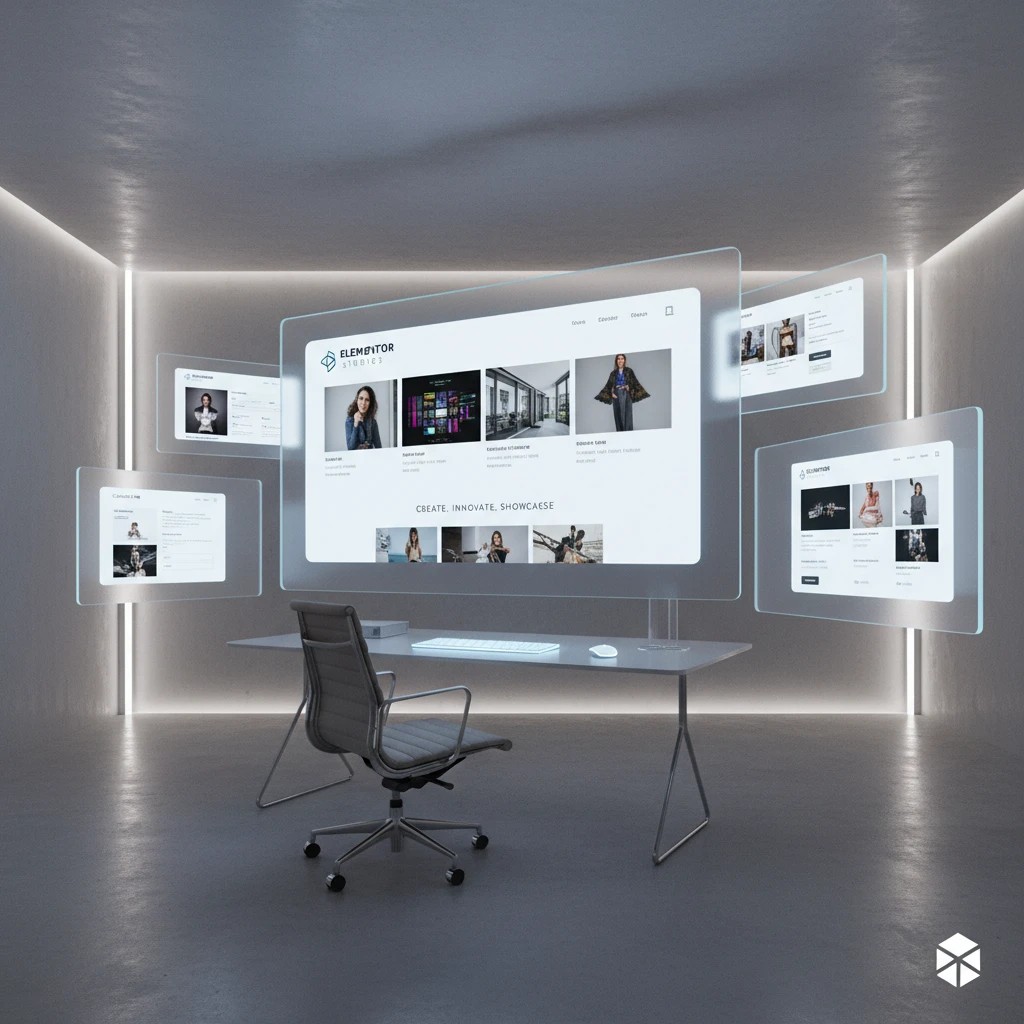
In the competitive digital landscape of 2026, a powerful online portfolio is no longer optional for creative professionals – it’s an essential tool for showcasing your skills, attracting clients, and landing dream jobs. This comprehensive guide will walk you through creating a visually stunning and highly effective portfolio website using Elementor, the leading WordPress page builder.
Whether you’re a web designer, photographer, writer, or any other type of creative, this article provides actionable steps, expert tips, and design considerations to help you build a portfolio that not only looks great but also drives results. We’ll explore everything from planning your website and choosing the right theme to customizing your design and optimizing for user experience.
Why Every Creative Professional Needs a Stunning Online Portfolio in 2026
The Importance of a Portfolio for Landing Clients and Jobs
A well-crafted online portfolio serves as your digital resume, offering potential clients and employers a comprehensive overview of your skills and experience. Unlike a static resume, a portfolio allows you to dynamically showcase your best work, providing tangible evidence of your capabilities. In 2026, businesses are increasingly relying on visual content and online presence to make hiring decisions. A strong portfolio demonstrates your ability to deliver high-quality results and stay ahead of the curve. For instance, a web designer can use a portfolio to demonstrate their understanding of UI/UX design best practices. Without one, you risk being overlooked in a sea of equally qualified candidates. The absence of a portfolio can signal a lack of seriousness about your craft or an inability to adapt to modern industry standards.
Showcasing Your Best Work: Beyond the Resume
While a resume lists your accomplishments, a portfolio allows you to show them. It’s about more than just listing past projects; it’s about curating a selection of your most compelling and relevant work. This curation process is crucial. Include projects that demonstrate a range of skills, highlight your unique style, and align with the type of work you want to attract. If you are a freelance writer, showcase different writing styles and formats to show your versatility. A great portfolio tells a story, presenting your journey and evolution as a creative professional. Moreover, you can provide context for each project, explaining the challenges you faced, the solutions you implemented, and the results you achieved. This level of detail gives potential clients a deeper understanding of your process and your problem-solving abilities.
Establishing Authority and Building Trust Through Visuals
A professionally designed portfolio instantly establishes you as an authority in your field. It demonstrates attention to detail, a commitment to quality, and an understanding of visual communication. High-quality images, thoughtful layouts, and clear descriptions build trust and confidence with potential clients. Consider adding client testimonials or case studies to further reinforce your credibility. For example, a photographer could display before-and-after photos or include quotes from satisfied clients about their experience. Remember that your portfolio is a reflection of your brand. A polished and well-maintained website communicates professionalism and reliability, setting you apart from competitors with lackluster online presence. Additionally, ensure your portfolio website demonstrates accessibility following guidelines to make it easy for all users to navigate, as outlined in an Elementor website accessibility checklist.
Planning Your Elementor Portfolio Website: Defining Your Goals and Target Audience

Identifying Your Niche and Specialization: What Do You Want to Be Known For?
Before diving into the design process, it’s crucial to define your niche and specialization. What specific area of your field do you excel in? What type of projects do you enjoy the most? Identifying your niche helps you focus your portfolio and attract the right type of clients. For example, instead of presenting yourself as a general web designer, you might specialize in e-commerce website design for small businesses or creating multilingual websites, which you can do using Elementor and a translation plugin. This targeted approach makes you more appealing to clients who are specifically looking for your expertise. Think about the problems you solve for your clients and the unique value you bring to the table. Articulating your specialization clearly on your website helps potential clients quickly understand your strengths and determine if you’re the right fit for their project. Don’t be afraid to narrow your focus; it can actually expand your opportunities by positioning you as a sought-after expert.
Defining Your Ideal Client: Tailoring Your Portfolio to Attract the Right Projects
Once you know your niche, define your ideal client. What are their demographics, their needs, and their pain points? Understanding your ideal client allows you to tailor your portfolio to resonate with them. For instance, if you’re targeting startups, your portfolio should showcase projects that demonstrate innovation, creativity, and a focus on user experience. If you’re targeting larger corporations, your portfolio should highlight projects that demonstrate scalability, professionalism, and a proven track record of success. Consider including case studies that address the specific challenges faced by your ideal client and showcase how your work helped them achieve their goals. Use language and visuals that appeal to your target audience, and emphasize the benefits they’ll receive from working with you. If you build sales funnels, show examples of funnels that actually generate leads, as you can do when you build a high-converting sales funnel with Elementor.
Setting Measurable Goals: What Do You Want to Achieve With Your Portfolio (e.g., leads, sales, job offers)?
What do you want your portfolio to achieve? Are you looking to generate leads, increase sales, land a new job, or simply establish your online presence? Setting measurable goals provides a framework for evaluating the success of your portfolio and making necessary adjustments. For example, if your goal is to generate leads, you might track the number of inquiries you receive through your website each month. If your goal is to increase sales, you might track the conversion rate of your portfolio page. If your goal is to land a new job, you might track the number of job applications you submit and the number of interviews you receive. Use analytics tools like Google Analytics to monitor your website traffic, track user behavior, and identify areas for improvement. Regularly review your goals and adjust your portfolio strategy as needed to ensure you’re on track to achieve your desired outcomes.
Choosing the Right Elementor Theme and Portfolio Template (or Building from Scratch)
Evaluating Free vs. Premium Elementor Themes for Portfolio Websites
Elementor offers a wide range of themes, both free and premium, that can serve as a foundation for your portfolio website. Free themes can be a good starting point, especially if you’re on a tight budget. However, they often come with limitations in terms of customization options, features, and support. Premium themes, on the other hand, typically offer greater flexibility, more advanced features, and dedicated support. When evaluating themes, consider factors such as design aesthetics, responsiveness, ease of customization, and compatibility with essential plugins. Also, assess the theme’s impact on website speed and SEO. Look for themes that are lightweight and optimized for performance. If you require advanced customization options or specific features, a premium theme is likely the better choice. Remember to check reviews and ratings from other users to get a sense of the theme’s quality and reliability.
Finding Portfolio-Specific Templates in CopyElement and Beyond
Instead of starting from scratch, consider using a pre-designed portfolio template to save time and effort. CopyElement offers a vast library of professionally designed templates specifically tailored for portfolio websites. These templates can be easily customized using Elementor’s drag-and-drop interface. When selecting a template, choose one that aligns with your brand and showcases your work in an effective way. Look for templates that offer a clean and modern design, a user-friendly layout, and customizable sections for displaying your projects. Some templates also include features such as contact forms, blog integration, and social media sharing buttons. If you do not find what you need in CopyElement, explore other Elementor template libraries and marketplaces. Remember to preview the template thoroughly before making a decision to ensure it meets your specific requirements.
Key Design Considerations: Responsiveness, Minimalism, and User Experience
When designing your portfolio website, keep responsiveness, minimalism, and user experience (UX) top of mind. Responsiveness ensures that your website looks and functions flawlessly on all devices, including desktops, laptops, tablets, and smartphones. In 2026, mobile traffic accounts for a significant portion of website visits, so a responsive design is essential for reaching a wider audience. Minimalism focuses on simplicity and clarity, using clean lines, ample white space, and a limited color palette to create a visually appealing and uncluttered design. A minimalist design helps draw attention to your work and avoids distracting visitors with unnecessary elements. User experience refers to the overall experience of visitors to your website. Ensure that your website is easy to navigate, that your content is well-organized, and that your calls to action are clear and compelling. Regularly test your website’s UX and make adjustments as needed to improve the overall experience. You can gain additional insights into UX best practices from resources like the Nielsen Norman Group.
Step-by-Step Guide: Setting Up Your Portfolio Website with Elementor
Installing and Configuring Elementor on Your WordPress Site
The first step is to install and activate the Elementor plugin on your WordPress website. Log in to your WordPress dashboard, navigate to Plugins > Add New, search for “Elementor,” and click “Install Now.” Once the plugin is installed, click “Activate” to activate it. After activating Elementor, you’ll be prompted to create an account or connect to an existing one. Creating an account is optional but recommended, as it provides access to additional features and resources. Next, configure Elementor’s settings by navigating to Elementor > Settings. Here, you can choose whether to enable or disable default Elementor settings, such as default fonts and colors. You can also integrate Elementor with other tools and services, such as Google Analytics and marketing automation platforms. Finally, customize the editor interface by navigating to Elementor > Preferences. Here, you can adjust the editor width, enable or disable various features, and set your preferred editing mode. It’s always a good idea to make sure you have hardened your website’s security before starting to build with Elementor.
Customizing Your Theme or Template to Match Your Brand
Once Elementor is installed and configured, it’s time to customize your theme or template to match your brand. Start by uploading your logo and setting your brand colors. Most Elementor themes and templates offer options for customizing the header, footer, and other design elements. Use Elementor’s visual editor to make changes to the layout, typography, and imagery. Experiment with different styles and options until you achieve a look and feel that aligns with your brand identity. Pay attention to detail and ensure that all design elements are consistent and harmonious. Consider using custom CSS to further customize your theme or template, but only if you have coding experience. If not, stick to Elementor’s built-in customization options. Regularly preview your changes on different devices to ensure that your website looks great on all screens.
Essential Elementor Plugins for Enhanced Portfolio Functionality (e.g., image galleries, sliders)
To enhance the functionality of your portfolio website, consider installing essential Elementor plugins. For displaying your work, image gallery plugins like Envira Gallery or NextGEN Gallery offer advanced features for creating visually stunning galleries with customizable layouts and effects. Slider plugins like Smart Slider 3 or LayerSlider allow you to create dynamic and engaging slideshows that showcase your projects in an interactive way. Contact form plugins like Contact Form 7 or WPForms enable visitors to easily get in touch with you. Social media sharing plugins like Social Warfare or AddToAny make it easy for visitors to share your work on social media platforms. And to keep your website running smoothly, make sure you’ve implemented best practices for Elementor image optimization. Choose plugins that are lightweight, well-maintained, and compatible with Elementor. Be mindful of plugin bloat and avoid installing unnecessary plugins that can slow down your website.
Why Every Creative Professional Needs a Stunning Online Portfolio in 2026
In today’s competitive digital landscape, a stunning online portfolio is no longer a luxury but a necessity for creative professionals. As we move further into 2026, the demand for visual content and online presence continues to grow. A well-designed portfolio showcases your skills, experience, and personality in a compelling way, helping you stand out from the crowd and attract new opportunities. It serves as a dynamic representation of your work, constantly evolving and adapting to reflect your latest achievements and aspirations.
The Importance of a Portfolio for Landing Clients and Jobs
Your portfolio is often the first impression you make on potential clients or employers. It allows them to quickly assess your capabilities and determine if you’re the right fit for their needs. A strong portfolio demonstrates your expertise, creativity, and attention to detail, giving clients and employers confidence in your ability to deliver high-quality work. By showcasing your best projects and highlighting your unique skills, you can effectively communicate your value and increase your chances of landing lucrative clients and desirable job opportunities.
Showcasing Your Best Work: Beyond the Resume
While a resume provides a summary of your qualifications and experience, a portfolio allows you to showcase your actual work and demonstrate your skills in action. It goes beyond simply listing your accomplishments and provides tangible evidence of your abilities. By carefully curating your portfolio and selecting your most impactful projects, you can effectively communicate your strengths and differentiate yourself from other candidates. A well-crafted portfolio can speak volumes about your talent and potential, making a lasting impression on prospective clients and employers.
Establishing Authority and Building Trust Through Visuals
A professional portfolio helps establish your authority and build trust with potential clients and employers. By showcasing your expertise and demonstrating your ability to deliver results, you can position yourself as a credible and reliable professional. Visual content, such as high-quality images, videos, and animations, can effectively communicate your message and engage your audience. A well-designed portfolio can create a sense of confidence and inspire trust, leading to more opportunities and long-term partnerships.
Planning Your Elementor Portfolio Website: Defining Your Goals and Target Audience
Before diving into the design and development of your Elementor portfolio website, it’s crucial to take the time to plan your approach. This involves defining your goals, identifying your target audience, and understanding what you want to achieve with your online presence. A clear plan will help you stay focused, make informed decisions, and create a portfolio website that effectively showcases your work and attracts the right opportunities.
Identifying Your Niche and Specialization: What Do You Want to Be Known For?
Determine your niche and specialization within your creative field. Are you a graphic designer specializing in branding? A photographer focused on portraiture? Or a web developer with a passion for e-commerce websites? Defining your niche will help you attract clients and employers who are specifically looking for your expertise. It also allows you to tailor your portfolio to showcase your most relevant and impressive work in that area. By focusing on your niche, you can establish yourself as a go-to expert and attract higher-paying projects.
Defining Your Ideal Client: Tailoring Your Portfolio to Attract the Right Projects
Consider who your ideal client is and what types of projects you want to work on. Are you targeting small businesses, large corporations, or individual clients? What are their specific needs and preferences? Understanding your ideal client will help you tailor your portfolio to resonate with them. Use language, imagery, and design elements that appeal to their sensibilities and showcase projects that align with their interests. By focusing on your ideal client, you can attract more qualified leads and secure projects that are a perfect fit for your skills and experience.
Setting Measurable Goals: What Do You Want to Achieve With Your Portfolio (e.g., leads, sales, job offers)?
Establish measurable goals for your portfolio website. Do you want to generate a certain number of leads per month? Increase your website traffic by a specific percentage? Or secure a particular type of job offer? Setting clear goals will help you track your progress and measure the effectiveness of your portfolio. Use analytics tools like Google Analytics to monitor your website traffic, engagement, and conversions. Regularly review your data and make adjustments to your portfolio as needed to optimize your results. By setting measurable goals, you can ensure that your portfolio is working hard to achieve your desired outcomes.
Choosing the Right Elementor Theme and Portfolio Template (or Building from Scratch)
Selecting the right Elementor theme and portfolio template is a critical step in creating a visually appealing and functional website. You have the option of using a pre-designed theme or template, or building your portfolio from scratch using Elementor’s drag-and-drop interface. Each approach has its advantages and disadvantages, so it’s important to carefully consider your needs and preferences before making a decision.
Evaluating Free vs. Premium Elementor Themes for Portfolio Websites
When choosing an Elementor theme, you’ll have the option of using a free theme or investing in a premium theme. Free themes are a great starting point for beginners and can provide a basic framework for your portfolio. However, they often have limited customization options and may not offer the same level of support or features as premium themes. Premium themes typically offer more advanced features, greater flexibility, and dedicated support. They also tend to be more visually appealing and professionally designed. Consider your budget, technical skills, and design requirements when deciding between a free and premium theme. If you’re looking for a highly customized and feature-rich portfolio, a premium theme is likely the best option.
Finding Portfolio-Specific Templates in CopyElement and Beyond
Explore portfolio-specific templates within CopyElement and other online marketplaces. These templates are designed specifically for showcasing creative work and often include features like image galleries, project showcases, and client testimonials. Look for templates that align with your brand identity and aesthetic preferences. Consider the layout, typography, and color scheme of each template and how well it showcases your work. Many templates offer customization options, allowing you to adjust the design to fit your specific needs. Popular options like Envato Elements also offer a wide array of Elementor templates. Take the time to browse different templates and choose one that effectively highlights your skills and experience.
Key Design Considerations: Responsiveness, Minimalism, and User Experience
When designing your Elementor portfolio website, keep key design considerations in mind. Responsiveness is essential for ensuring that your website looks great on all devices, including desktops, tablets, and smartphones. Minimalism can help you create a clean and uncluttered design that puts the focus on your work. User experience (UX) is crucial for ensuring that visitors can easily navigate your website and find the information they’re looking for. Use clear and concise navigation, organize your projects logically, and provide helpful descriptions and context. Consider using a sticky header to improve navigation. By prioritizing responsiveness, minimalism, and user experience, you can create a portfolio website that is both visually appealing and easy to use.
Step-by-Step Guide: Setting Up Your Portfolio Website with Elementor
Now that you’ve planned your approach and chosen your theme or template, it’s time to set up your portfolio website with Elementor. This involves installing and configuring Elementor on your WordPress site, customizing your theme or template to match your brand, and adding essential plugins to enhance functionality. Follow these step-by-step instructions to create a professional and visually stunning portfolio website that effectively showcases your work.
Installing and Configuring Elementor on Your WordPress Site
Start by installing and activating the Elementor plugin on your WordPress site. Navigate to the Plugins section in your WordPress dashboard and search for “Elementor.” Click “Install Now” and then “Activate” to enable the plugin. Once Elementor is installed, you can configure its settings by going to Elementor > Settings in your WordPress dashboard. Here, you can adjust various options, such as enabling or disabling different modules and features. Take some time to explore the settings and customize them to your preferences. Make sure that you have a reliable WordPress hosting provider for optimal performance.
Customizing Your Theme or Template to Match Your Brand
Once Elementor is installed and configured, it’s time to customize your chosen theme or template. Open the page you want to edit with Elementor by clicking the “Edit with Elementor” button. This will launch the Elementor editor, where you can visually design and customize your website. Start by adjusting the colors, fonts, and typography to match your brand’s identity. Use the Elementor styling options to change the appearance of headings, text, buttons, and other elements. Add your logo and adjust its placement for optimal visibility. You can also rearrange sections, add or remove elements, and modify the layout to fit your content and design preferences. Ensure the color scheme follows best practices for website accessibility.
Essential Elementor Plugins for Enhanced Portfolio Functionality (e.g., image galleries, sliders)
To enhance the functionality of your Elementor portfolio website, consider adding essential plugins. For showcasing your visual work, plugins like Elementor Pro’s Gallery widget or dedicated gallery plugins like Envira Gallery or NextGEN Gallery are invaluable. These plugins allow you to create stunning image galleries and sliders that effectively highlight your projects. Other useful plugins include those for contact forms (e.g., Contact Form 7, WPForms), social media integration (e.g., Social Warfare, AddToAny), and SEO optimization (e.g., Yoast SEO, Rank Math). Choose plugins that align with your goals and enhance the user experience on your portfolio website.
Why Every Creative Professional Needs a Stunning Online Portfolio in 2026
The Importance of a Portfolio for Landing Clients and Jobs
In today’s competitive landscape, a well-crafted online portfolio is indispensable for creative professionals seeking to attract clients and secure job opportunities. A portfolio serves as a dynamic and visually engaging representation of your skills, experience, and accomplishments, setting you apart from other candidates. It allows potential clients and employers to assess your capabilities firsthand and envision how your talents can contribute to their projects or organizations. Think of it as your digital handshake and first impression, all rolled into one.
Showcasing Your Best Work: Beyond the Resume
While a resume provides a summary of your qualifications, a portfolio offers concrete evidence of your abilities through tangible examples of your work. Instead of simply listing your skills, you can demonstrate them through projects, designs, writing samples, or other creative outputs. A portfolio allows you to tell a story about your creative journey, showcasing your problem-solving skills, design sensibilities, and attention to detail. This goes far beyond what a traditional resume can accomplish.
Establishing Authority and Building Trust Through Visuals
A professionally designed portfolio helps establish your authority and build trust with potential clients and employers. By showcasing your best work in a visually appealing and organized manner, you demonstrate your expertise and commitment to quality. Testimonials and case studies can further reinforce your credibility and provide social proof of your capabilities. When potential clients see tangible results and positive feedback, they are more likely to trust your abilities and choose you for their projects. A strong portfolio is your visual resume.
Planning Your Elementor Portfolio Website: Defining Your Goals and Target Audience
Identifying Your Niche and Specialization: What Do You Want to Be Known For?
Before diving into the design and development of your Elementor portfolio website, it’s crucial to define your niche and specialization. What specific areas of expertise do you want to highlight? What types of projects are you most passionate about? By identifying your niche, you can tailor your portfolio to attract clients and employers who are specifically seeking your skills and experience. Focus on showcasing projects that align with your niche and demonstrate your expertise in that area. This targeted approach will help you stand out from the competition and establish yourself as a specialist in your field.
Defining Your Ideal Client: Tailoring Your Portfolio to Attract the Right Projects
Understanding your ideal client is essential for creating a portfolio that resonates with them. Consider their needs, preferences, and pain points. What types of projects are they looking for? What kind of design aesthetic do they prefer? By tailoring your portfolio to appeal to your ideal client, you can increase your chances of attracting projects that are a good fit for your skills and interests. Use language, visuals, and case studies that speak directly to their needs and demonstrate your ability to solve their problems. Think about creating specific case studies for various client profiles.
Setting Measurable Goals: What Do You Want to Achieve With Your Portfolio (e.g., leads, sales, job offers)?
Before launching your Elementor portfolio website, define clear and measurable goals. What do you want to achieve with your portfolio? Do you want to generate leads, increase sales, or secure job offers? By setting specific goals, you can track your progress and measure the effectiveness of your portfolio. Use analytics tools to monitor website traffic, track leads, and measure conversion rates. Regularly evaluate your portfolio and make adjustments as needed to optimize its performance and achieve your desired outcomes. Consider A/B testing different designs and calls to action.
Choosing the Right Elementor Theme and Portfolio Template (or Building from Scratch)
Evaluating Free vs. Premium Elementor Themes for Portfolio Websites
When selecting a theme for your Elementor portfolio website, consider the pros and cons of both free and premium options. Free themes offer a cost-effective way to get started, but they may have limited customization options and features. Premium themes, on the other hand, typically offer more advanced features, greater flexibility, and dedicated support. Evaluate your needs and budget to determine which type of theme is the best fit for your project. Be sure to check reviews and ratings before making a decision.
Finding Portfolio-Specific Templates in CopyElement and Beyond
To streamline the design process, explore portfolio-specific templates available in CopyElement and other online marketplaces. These templates are specifically designed to showcase creative work in a visually appealing and organized manner. Look for templates that align with your brand’s aesthetic and offer the features you need to effectively present your projects. You can customize these templates to match your brand identity and add your own unique touch. Explore options on ThemeForest and Envato Elements.
Key Design Considerations: Responsiveness, Minimalism, and User Experience
When designing your Elementor portfolio website, prioritize responsiveness, minimalism, and user experience. Ensure that your website is fully responsive and looks great on all devices, including desktops, tablets, and smartphones. Embrace a minimalist design approach to avoid clutter and distractions, allowing your work to take center stage. Focus on creating a user-friendly experience by providing clear navigation, intuitive layouts, and fast loading times. A seamless and engaging user experience will encourage visitors to explore your work and contact you for potential projects. Remember to optimize images for web use.
Step-by-Step Guide: Setting Up Your Portfolio Website with Elementor
Step-by-Step Guide: Setting Up Your Portfolio Website with Elementor
Installing and Configuring Elementor on Your WordPress Site
To begin setting up your portfolio website with Elementor, start by installing and activating the Elementor plugin on your WordPress site. Navigate to the “Plugins” section in your WordPress dashboard, search for “Elementor,” and click “Install Now.” Once installed, activate the plugin to unlock its features and capabilities. You can then configure Elementor’s settings to customize its behavior and optimize its performance. Be sure to check the Elementor documentation for the most up-to-date installation instructions.
Customizing Your Theme or Template to Match Your Brand
Once Elementor is installed, customize your chosen theme or template to align with your brand identity. Modify colors, fonts, and layouts to create a cohesive and visually appealing design that reflects your brand’s personality. Use Elementor’s intuitive drag-and-drop interface to easily adjust elements and sections. Consider using a consistent color palette and typography throughout your portfolio to maintain a professional and polished look. Also, ensure your logo is prominently displayed.
Essential Elementor Plugins for Enhanced Portfolio Functionality (e.g., image galleries, sliders)
Enhance the functionality of your Elementor portfolio website by installing essential plugins. Consider adding plugins for image galleries, sliders, contact forms, and social media integration. These plugins can help you showcase your work in a more engaging and interactive way, making it easier for visitors to explore your projects and connect with you. Research different plugins to find the ones that best suit your needs and integrate seamlessly with Elementor. Some popular options include Elementor Pro, Essential Addons for Elementor, and Ultimate Addons for Elementor.
Showcasing Your Projects: Best Practices for Visual Storytelling with Elementor
Writing Compelling Project Descriptions: Highlight Your Role, Process, and Results
A portfolio is more than just a gallery of images; it’s a narrative of your skills and experience. When crafting project descriptions in Elementor, focus on telling a story that captivates potential clients. Clearly define your role in the project – were you the lead designer, a developer, or a consultant? Explain the process you followed, highlighting the challenges you overcame and the solutions you implemented. Quantify your results whenever possible. Instead of saying “improved website traffic,” say “increased website traffic by 40% in three months using SEO strategies and a redesigned landing page.” Don’t be afraid to showcase your personality and passion for the project. Use a conversational tone while maintaining professionalism. Avoid industry jargon that your target audience may not understand. Ensure the description is easily scannable by using headings, bullet points, and short paragraphs. Finally, proofread meticulously for any grammatical errors or typos.
Using High-Quality Images and Videos to Captivate Visitors
Visuals are the cornerstone of an effective portfolio. Use high-resolution images and videos that accurately represent your work. Poor-quality or blurry visuals can instantly detract from the perceived value of your skills. Consider using mockups to showcase your designs in a realistic context. For example, if you designed a website, present it on different devices (desktop, tablet, mobile) to demonstrate its responsiveness. If you are a videographer or motion graphics artist, embed your videos directly into your Elementor portfolio using widgets like the Video element. Ensure that your images and videos are properly optimized for the web to prevent slow loading times, as described later in the article. Experiment with different layouts and galleries in Elementor to find the most visually appealing way to present your work. Consider using before-and-after comparisons to highlight the impact of your contributions. Don’t forget to add alt text to all images for accessibility and SEO purposes.
Structuring Your Portfolio Items for Optimal User Engagement
The way you structure your portfolio items significantly impacts user engagement. Start with a compelling headline that immediately grabs the visitor’s attention. Follow this with a brief overview of the project, outlining the key objectives and your role. Then, delve into the details of your process, showcasing the specific skills and techniques you employed. Use visuals strategically to break up the text and keep visitors engaged. Consider incorporating a case study format, where you present the problem, your solution, and the results achieved. Include testimonials from satisfied clients to build credibility. Make it easy for visitors to navigate through your portfolio by using clear headings, subheadings, and internal links. End each portfolio item with a call to action, such as inviting visitors to contact you for a consultation or view similar projects. Analyze your website analytics to track which portfolio items are generating the most engagement and adjust your strategy accordingly. For example, you can use Elementor Dynamic Content to display the “most viewed” portfolio items, showcasing your most popular work first.
Designing a User-Friendly and Intuitive Navigation Experience
Implementing Clear Calls to Action (CTAs): Guiding Visitors to Contact You or View More Work
A portfolio website without clear calls to action is like a shop with no checkout counter. Visitors need guidance on what to do next. Strategically place CTAs throughout your portfolio to encourage them to contact you, view more work, or download your resume. Use action-oriented language, such as “Get a Free Consultation,” “View Case Study,” or “Download My Portfolio.” Make your CTAs visually prominent by using contrasting colors and sufficient whitespace around them. Ensure that your CTAs are relevant to the context of the page. For example, on a project page, a relevant CTA might be “View Similar Projects,” while on your “About” page, it could be “Contact Me for a Quote.” Test different CTA variations to see which ones perform best. For example, try using different button colors, text, or placements. You can use Elementor’s A/B testing features or integrate with a third-party testing tool. Track the click-through rates of your CTAs to measure their effectiveness and make data-driven improvements. Avoid overwhelming visitors with too many CTAs on a single page. Focus on guiding them towards the most important actions you want them to take.
Creating a Logical Website Structure and Menu Hierarchy
A well-structured website with a clear menu hierarchy is essential for user-friendliness. Plan your website’s architecture before you start building it in Elementor. Typically, a portfolio website includes pages such as “Home,” “About,” “Portfolio,” and “Contact.” Organize your portfolio items into categories or tags to make it easier for visitors to find specific types of work. Use a clear and concise menu to allow visitors to navigate between pages effortlessly. Avoid using too many levels of navigation, as this can make it difficult for users to find what they’re looking for. Consider using a sticky menu that remains visible as the user scrolls down the page. This ensures that the navigation is always accessible. Make sure your menu labels are descriptive and easy to understand. Avoid using ambiguous terms or jargon. Use breadcrumbs to help users understand their current location on the website and easily navigate back to previous pages. Prioritize a great UI/UX design, and consider best practices for Elementor website navigation to further improve the site’s usability.
Optimizing Mobile Responsiveness for a Seamless Experience on All Devices
In today’s mobile-first world, optimizing your portfolio for mobile devices is crucial. Ensure that your Elementor portfolio is fully responsive, adapting seamlessly to different screen sizes and resolutions. Use Elementor’s responsive editing mode to preview your website on various devices and make necessary adjustments. Optimize images for mobile devices to reduce loading times. Avoid using large images that can slow down page load speeds on mobile networks. Use Elementor’s visibility settings to hide or show specific elements on different devices. This allows you to tailor the content to the specific screen size. Ensure that your text is readable on mobile devices by using appropriate font sizes and line heights. Test your portfolio on different mobile devices to ensure that it looks and functions correctly. Pay close attention to touch targets, making sure that buttons and links are large enough and spaced far enough apart to be easily tapped. Remember to periodically check for website accessibility for all users, including those on mobile devices, to adhere to compliance and inclusive design guidelines.
Optimizing Your Elementor Portfolio for Speed and Performance
Image Optimization Techniques for Faster Loading Times
Slow loading times can significantly impact user experience and SEO. Optimize your images to reduce file sizes without sacrificing quality. Use tools like TinyPNG or ImageOptim to compress images before uploading them to your Elementor website. Choose the right image format for your needs. JPEG is generally suitable for photographs, while PNG is better for graphics with transparent backgrounds. Consider using WebP, a modern image format that offers superior compression and quality compared to JPEG and PNG. Implement lazy loading to defer the loading of images that are not currently visible in the viewport. This can significantly improve initial page load times. Use responsive images to serve different image sizes based on the user’s screen size. Elementor’s built-in image widgets support responsive images. Utilize a Content Delivery Network (CDN) to serve your images from servers located closer to your users. This can reduce latency and improve loading times. Consider utilizing guidance on Elementor image optimization to further streamline your website. Regularly audit your website’s images to identify any that can be further optimized.
Leveraging Elementor’s Performance Settings and Caching Plugins
Elementor offers several built-in performance settings that can help improve your website’s speed. Enable “Improved Asset Loading” in Elementor’s settings to reduce the number of HTTP requests. Use Elementor’s “CSS Print Method” setting to control how CSS is loaded on your website. Experiment with different settings to find the one that works best for your specific configuration. Install a caching plugin, such as WP Rocket or LiteSpeed Cache, to cache your website’s pages and assets. Caching can significantly reduce server load and improve loading times for returning
Saurabh Kumar
I’m Saurabh Kumar, a product-focused founder and SEO practitioner passionate about building practical AI tools for modern growth teams. I work at the intersection of SEO, automation, and web development, helping businesses scale content, traffic, and workflows using AI-driven systems. Through SEO45 AI and CopyElement, I share real-world experiments, learnings, and frameworks from hands-on product building and client work.