
This methodology streamlines the entire design process, transforming what could be a time-consuming endeavor into an agile and enjoyable experience. By leveraging pre-designed building blocks, designers and developers can focus on creativity and strategy, rather than the repetitive task of crafting individual elements from scratch.
Unlock Lightning-Fast Website Creation with Elementor’s Component-Driven Design
Elementor’s core strength lies in its component-driven design philosophy, which significantly accelerates website development. Instead of building every page element from the ground up, users work with a library of pre-designed and customizable components. This approach mirrors how modern software and interfaces are built, focusing on modularity and reusability. It allows for a much quicker assembly of pages, drastically reducing the time from concept to launch. The ability to quickly iterate on designs, test different layouts, and implement changes efficiently makes Elementor a powerful tool for agencies, freelancers, and business owners alike. This rapid development cycle is crucial in today’s fast-paced digital landscape, where getting a website live and making updates quickly can provide a competitive edge. For a deeper dive into how this impacts project timelines, explore faster website workflows with Elementor.
The Power of Pre-built Elements in Modern Web Development
In contemporary web development, pre-built elements are the cornerstones of efficient design. These ready-made components, such as headers, footers, call-to-action buttons, testimonial sliders, and contact forms, are meticulously crafted to be both aesthetically pleasing and functionally robust. They eliminate the need for developers and designers to reinvent the wheel for common website sections. This not only saves immense amounts of time but also ensures a higher standard of design and user experience. By using professionally designed and tested elements, you significantly reduce the risk of design flaws and ensure better cross-browser compatibility and responsiveness. This standardization allows teams to collaborate more effectively, as everyone is working with a shared understanding of design patterns and functionalities. Ultimately, pre-built elements democratize high-quality web design, making it accessible to a wider range of users.
Why Elementor Excels in Speedy Site Building
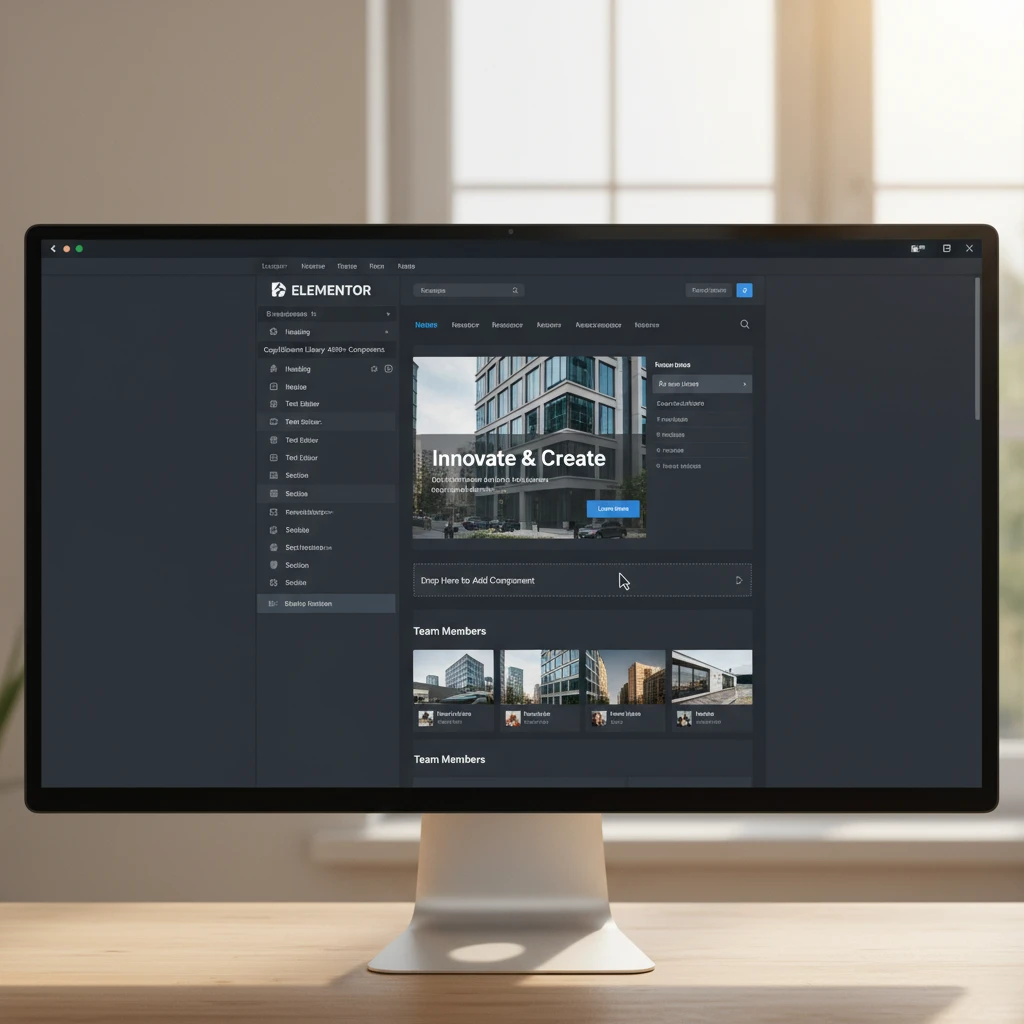
Elementor’s intuitive drag-and-drop interface is the primary driver behind its speed. Users can visually construct pages by dragging widgets—these are Elementor’s term for components—onto their canvas and arranging them as needed. The real-time visual feedback means you see changes as you make them, eliminating guesswork and reducing the back-and-forth typically associated with traditional coding. Furthermore, Elementor offers a vast library of widgets, from basic text and image elements to complex galleries, forms, and dynamic content displays. This extensive selection means that most common design needs are already covered, further accelerating the building process. The platform also facilitates easy duplication and modification of elements, allowing for quick replication of design patterns across multiple pages or sites. This efficiency is paramount for businesses looking to establish or expand their online presence rapidly. You can learn more about how to build faster WordPress websites with components.
Mastering Elementor’s Ready Components: A Practical Guide
To truly harness Elementor’s speed, mastering its ready components is essential. This involves understanding the different types of components available, how to effectively integrate them into your designs, and how to customize them to match your specific branding and functional requirements. It’s not just about dragging and dropping; it’s about strategic placement, thoughtful customization, and leveraging the library to its fullest potential. By becoming proficient with these building blocks, you can significantly elevate the quality and speed of your website development projects. This mastery translates into delivering professional-looking, high-performing websites with greater efficiency, whether you’re building for yourself or for clients. A solid grasp of Elementor’s component system can be a game-changer for your web design workflow.
Understanding the Core Component Library in Elementor
Elementor provides a robust library of widgets, which are its fundamental building blocks. These range from foundational elements like headings, text editors, and images to more advanced components such as icon boxes, buttons, progress bars, and video players. Each widget is designed to be highly flexible, offering extensive styling and configuration options directly within the Elementor editor. Understanding the purpose and capabilities of each core widget allows you to make informed decisions about which elements to use for specific design tasks. For instance, you might choose an icon box to highlight key features or a testimonial carousel to showcase client feedback. Familiarity with these core components is the first step toward building complex and dynamic layouts efficiently. It’s about knowing your tools and how to best deploy them for optimal results.
Leveraging Global Widgets for Consistency
Global widgets are a powerful feature within Elementor that significantly enhances consistency and efficiency across your website. Once you’ve designed a specific widget—perhaps a unique call-to-action button or a custom footer section—you can save it as a global widget. This means that any instance of this widget on your site can be updated from a single location. If you decide to change the color of a global button, the change will propagate to every page where that button is used. This is invaluable for maintaining brand consistency and for making site-wide updates rapidly without having to edit each individual element. For example, updating your company’s primary brand color across dozens of pages can be accomplished with just a few clicks. This feature is particularly beneficial for larger websites or those undergoing frequent content refreshes.
Customizing Components to Fit Your Brand
While Elementor’s ready-made components are excellent starting points, their true power is unlocked through customization. Each widget comes with a comprehensive set of styling options, allowing you to adjust typography, colors, spacing, borders, backgrounds, and more. Beyond basic styling, you can often modify the internal structure of a widget, adding or removing elements within it. For instance, you can customize an icon box to include a heading, description, and a button. The goal is to make these components seamlessly integrate with your overall brand identity, ensuring a cohesive and professional look and feel. This flexibility means you’re not limited to generic designs; you can craft unique elements that perfectly represent your brand. Effectively tailoring components ensures your website feels bespoke and engaging to your audience.
Beyond Basic Widgets: Advanced Elementor Component Strategies
Moving beyond the standard widget library, Elementor offers advanced strategies for building sophisticated and highly functional websites. This involves understanding how to combine and integrate various components to create complex layouts, leverage Elementor’s Theme Builder for consistent site-wide elements, and even incorporate custom code for unique functionalities. These advanced techniques allow for a level of customization and scalability that meets the demands of professional web development. By mastering these strategies, you can build not just visually appealing sites but also highly performant and maintainable web presences that truly stand out. This deeper dive into Elementor’s capabilities unlocks its full potential for ambitious projects.
Building Complex Layouts with Nested Elements
Elementor’s structure allows for the creation of intricate layouts through the concept of nesting. You can place container elements within other container elements, and widgets within these containers. This hierarchical organization is key to building multi-column sections, complex tabbed interfaces, accordions, and other sophisticated designs. For example, to create a three-column layout with different content in each column, you would start with a main section, add a column container, and then add three inner column containers within that. Widgets are then placed inside these innermost columns. This nesting capability provides granular control over the positioning and arrangement of content, enabling designers to craft visually dynamic and information-rich pages that are still manageable within the Elementor interface. This approach is fundamental for creating engaging user experiences.
Utilizing Theme Builder Components for Scalability
Elementor Pro’s Theme Builder is a critical component for creating scalable and maintainable websites. It allows you to design and assign templates for various parts of your site, such as headers, footers, single post layouts, archive pages, and 404 pages. Instead of manually creating these elements on every page, you design them once in the Theme Builder and then set display conditions to apply them site-wide or to specific categories of content. For instance, you can design a custom header that includes your logo and navigation and then set it to appear on all pages. When you need to update your logo, you only change it in the header template, and the update automatically reflects everywhere. This dramatically improves efficiency and ensures consistency across your entire website, making it ideal for large projects or growing businesses.
Integrating Custom Code Snippets into Components
For advanced users requiring highly specific functionalities not covered by Elementor’s built-in widgets, the platform allows for the integration of custom HTML, CSS, and JavaScript. You can use the “HTML” widget to embed custom code directly into your page layouts. This enables you to add unique animations, integrate third-party scripts, or create interactive elements that go beyond standard widget capabilities. For instance, you might use custom JavaScript to implement a parallax scrolling effect or embed a custom-designed form. When combined with Elementor’s styling options, custom code can be seamlessly integrated to enhance the user experience and add distinct features. This blend of visual design and custom coding provides unparalleled flexibility for crafting unique websites. For those looking to optimize their Elementor sites, exploring component caching for speed is highly recommended.
The Role of CopyElement: Supercharging Your Elementor Workflow
While Elementor itself offers a robust set of components, services like CopyElement significantly amplify its capabilities, offering an expansive library of pre-designed UI elements and templates. CopyElement acts as a powerful add-on, providing thousands of ready-to-use components that go far beyond the basic offerings. This library is curated to meet modern design standards and conversion-focused principles, enabling users to assemble highly professional and effective websites at an unprecedented speed. By leveraging CopyElement, web designers, developers, and agencies can drastically cut down development time, reduce costs, and deliver exceptional results for their clients. It’s about working smarter, not just harder, by utilizing a vast collection of professionally crafted building blocks.
How CopyElement’s 4000+ Components Accelerate Design
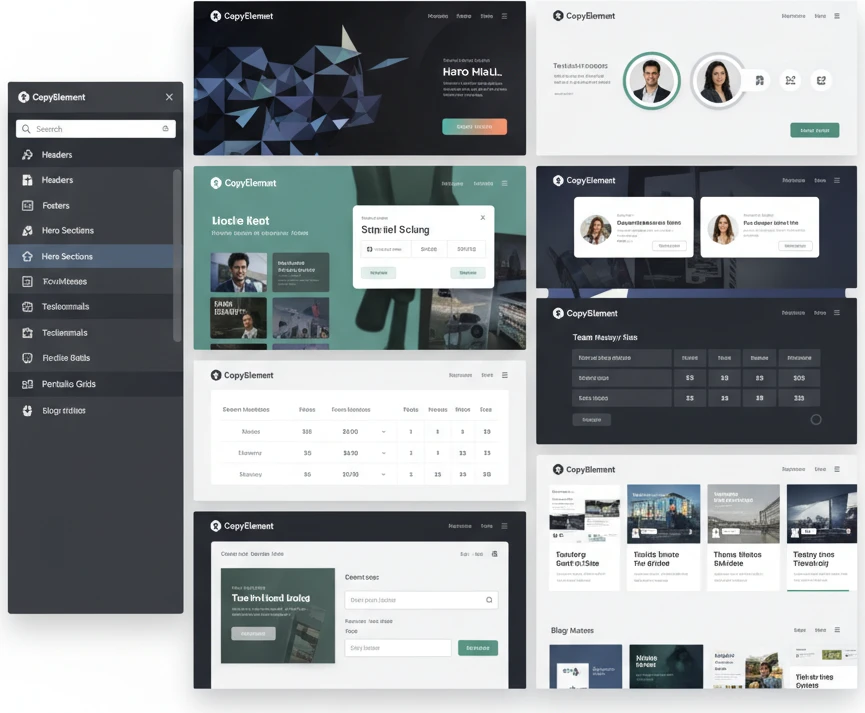
CopyElement’s extensive library, boasting over 4000 pre-built UI components, is designed to be a direct accelerator for Elementor users. These components span a wide array of design needs, from intricate hero sections and service blocks to pricing tables, team showcases, and advanced forms. Each component is meticulously crafted with modern aesthetics and functionality in mind, adhering to best practices in UI/UX design. Instead of spending hours crafting a single section, users can browse CopyElement’s library, find a suitable component, and drag it onto their Elementor canvas in seconds. This dramatically reduces the time spent on repetitive design tasks, allowing for faster project completion and more time for strategic elements like content creation and conversion optimization. This vast collection ensures you’re never short of inspiration or ready-made solutions for even complex design challenges.
Finding the Perfect Component for Any Project
Navigating CopyElement’s extensive library is made straightforward through intuitive categorization and search functionalities. Components are typically organized by type (e.g., “Hero Sections,” “Testimonials,” “Contact Forms”), industry (e.g., “SaaS,” “E-commerce,” “Portfolio”), or specific design elements. This allows users to quickly pinpoint the exact type of component they need. For instance, if you’re building a landing page for a tech startup, you can easily filter for relevant hero sections, feature lists, and pricing tables. The visual previews provided for each component also aid in the selection process, giving you a clear idea of its appearance and layout before you implement it. This efficient discovery process ensures that you can find the ideal building block for any section of your website without extensive searching, further streamlining your design workflow.
Examples of CopyElement Components in Action
Consider a scenario where a freelance web designer is tasked with creating a conversion-focused landing page for a new SaaS product within a tight deadline. Using CopyElement, they can bypass the need to design a compelling hero section from scratch. Instead, they browse CopyElement’s “Hero Sections” category and select a modern, CTA-driven design. Next, they might look for components to showcase product features, opting for a visually appealing “Feature Blocks” element with icons and descriptions. For social proof, they integrate a “Testimonial Slider” that can be populated with client quotes. Finally, they add a “Pricing Table” component and a user-friendly “Contact Form.” Each of these elements is imported and customized with the client’s branding in minutes, resulting in a professional, high-converting landing page delivered well ahead of schedule. This demonstrates the tangible impact CopyElement has on project timelines and quality.
Performance Optimization: Speedy Sites Start with Smart Components
In today’s fast-paced digital landscape, website speed is paramount. Users expect instant loading times, and search engines like Google prioritize faster sites. Elementor’s component-based approach, when leveraged correctly, can significantly contribute to building high-performance WordPress websites. The key lies in understanding how individual components impact loading speed and making informed choices. Not all components are created equal; some are lightweight and optimized, while others can be resource-intensive. By focusing on performance-optimized components, designers and developers can ensure their sites are not only visually appealing but also deliver an exceptional user experience through rapid loading times. This directly impacts user engagement, bounce rates, and ultimately, conversion potential, making performance a critical consideration from the outset.
The impact of component selection on performance cannot be overstated. A poorly coded or overly complex component can introduce unnecessary JavaScript or CSS, increasing the page’s load weight and rendering time. Conversely, well-built components are designed with efficiency in mind, minimizing their footprint and maximizing their speed. This requires a discerning eye when selecting pre-built elements, whether from Elementor’s native library or third-party add-ons. Understanding the underlying code and the assets a component loads is crucial. For instance, a carousel component that loads all images at once, rather than using lazy loading, will drastically slow down initial page load. Prioritizing components that adhere to modern web performance best practices is therefore a fundamental step in building a fast and effective website.
Choosing Performance-Optimized Elementor Components
Selecting Elementor components with performance as a primary consideration involves more than just visual appeal. You need to investigate what lies beneath the surface. Look for components that load minimal CSS and JavaScript, and ensure they don’t rely on multiple external scripts. Many reputable third-party Elementor add-ons will explicitly state their commitment to performance, often detailing how their components are optimized. When evaluating a component, consider its complexity. Does it include features you genuinely need? Overly complex components often carry unnecessary code. A simple testimonial widget, for example, should not require the same amount of code as a full-fledged interactive product configurator. Prioritize simplicity and functionality when making your selection. If possible, test components on a staging site to gauge their impact on loading times before integrating them into a live project.
Furthermore, understanding how components handle assets is vital. Components that embed images directly within their code or require numerous font files can significantly increase load times. Ideally, components should leverage native browser features and WordPress optimization techniques. For example, a component that supports native lazy loading for images is a significant advantage. When in doubt, consult the documentation provided by the component developer. Reputable developers will often provide insights into their optimization strategies. Always be wary of components that make broad, unsubstantiated performance claims without providing supporting evidence. A component that focuses on essential features and clean code will inherently perform better than one packed with features you may never use.
Minimizing Plugin Bloat with Component Libraries
The allure of extensive feature sets often leads to installing multiple plugins, each adding its own set of code and potential for performance degradation. Elementor’s component-based approach, especially when utilizing comprehensive libraries like CopyElement, offers a strategic way to combat this plugin bloat. Instead of relying on separate plugins for testimonials, pricing tables, icon boxes, or call-to-action buttons, a well-curated component library provides these functionalities within a single, cohesive ecosystem. This consolidation means fewer conflicts, reduced server requests, and a more streamlined codebase. When you can achieve the same design and functionality using components from a single, reputable library rather than several disparate plugins, you’re actively contributing to a faster, more stable website.
The decision to adopt a component library should also be weighed against the need for specialized functionality. While libraries offer a vast array of common elements, there might be instances where a niche plugin provides a unique feature that a component library doesn’t replicate. In such cases, carefully assess the plugin’s performance impact. Can its functionality be achieved by combining several components from your library? If not, consider the plugin’s reputation for performance and its update frequency. The goal is to achieve a balance: leverage the efficiency of component libraries for the bulk of your website’s needs while judiciously incorporating specialized plugins only when absolutely necessary, and always monitor their performance implications. This strategic approach to feature integration is crucial for maintaining a speedy and efficient website.
Lazy Loading and Other Performance Tweaks for Components
Lazy loading is a cornerstone of modern web performance, and it’s particularly effective when applied to Elementor components. This technique defers the loading of non-critical assets, such as images and videos, until they are actually needed—typically when they enter the user’s viewport. Elementor itself offers native lazy loading for images, but many advanced components, especially those containing multiple media elements, might require specific settings or optimizations to fully benefit. When using components like image carousels, galleries, or background videos, ensure that their settings are configured to enable lazy loading. This significantly reduces the initial page load time, allowing users to see content faster, which is crucial for user experience and engagement.
Beyond lazy loading, other performance tweaks can be applied at the component level. This includes optimizing the CSS and JavaScript output. Some components might generate inline styles or scripts that can be consolidated or deferred. Tools and plugins that help with CSS and JavaScript optimization can often work in conjunction with Elementor components, minifying and combining files to reduce HTTP requests. Additionally, consider the impact of font loading. Components that use custom fonts can add to load times. Ensure that only necessary font weights are loaded and that they are served efficiently. For advanced users, techniques like critical CSS generation can ensure that above-the-fold content is rendered quickly, even if other component-specific styles load later.
Conversion-Focused Design: Using Components to Drive Results
Elementor’s ready components are powerful tools for crafting websites that not only look good but also achieve specific business objectives. Beyond aesthetics, these components are designed to guide user journeys and encourage desired actions, directly impacting conversion rates. By strategically placing and configuring components like call-to-action buttons, lead forms, pricing tables, and testimonial sliders, designers can create persuasive user experiences. The ability to quickly assemble and test different combinations of these elements allows for a data-driven approach to conversion optimization. This means moving beyond guesswork and implementing design choices that are proven to elicit responses from your target audience, leading to tangible business growth.
The effectiveness of these components in driving conversions stems from their ability to align with user psychology and marketing principles. Clear, compelling calls to action, easily accessible contact forms, and trustworthy social proof (like testimonials) are all critical elements that nudge visitors closer to becoming customers. Elementor’s library, combined with specialized component sets, offers a rich palette to implement these strategies without extensive coding knowledge. This democratization of advanced design techniques empowers more individuals and businesses to create landing pages and website sections that are not just functional but actively work to convert visitors into leads or sales. The focus shifts from simply building a website to building a conversion machine.
Designing High-Converting Landing Pages with Elementor Components
Creating landing pages that convert visitors into leads or customers requires a strategic combination of compelling copy, clear design, and persuasive elements. Elementor components excel in this domain by providing pre-built blocks that can be rapidly assembled and customized. When designing a landing page, begin with a clear objective: what action do you want the visitor to take? This objective should dictate the primary call-to-action (CTA) component you use. Ensure it’s prominent, action-oriented, and uses benefit-driven language. Surrounding your CTA with supporting components like trust-building testimonials, clear pricing breakdowns, or explanatory feature highlights can significantly increase its effectiveness. The goal is to eliminate friction and guide the user seamlessly towards conversion.
Consider the flow of information on your landing page. Start with a strong headline and a brief introduction that clearly communicates the value proposition. Follow this with components that elaborate on benefits, address potential objections, and provide social proof. For example, a video embed component can be highly effective for product demonstrations, while an icon list component can succinctly outline key features. Don’t forget the importance of forms; a well-designed form component, featuring only essential fields, can dramatically improve submission rates. Remember to optimize these components for mobile devices, as a significant portion of traffic will come from smartphones. A well-structured landing page built with Elementor components can transform passive visitors into active participants, leading to higher conversion rates and achieving your marketing goals.
Implementing A/B Testing Principles with Component Variations
A/B testing is a fundamental methodology for optimizing conversion rates, and Elementor’s component structure makes it remarkably accessible. Instead of redesigning entire pages, you can isolate and test variations of specific components to understand what resonates best with your audience. For instance, you can create two versions of a CTA button component: one with red text and another with blue text, or one with the text “Learn More” and another with “Get Started Today.” By using Elementor’s duplicate feature and then modifying specific elements within the copied component, you can easily create these variations. Then, using an A/B testing tool or plugin that integrates with Elementor, you can serve these different versions to segments of your audience and track which performs better against your defined goals, such as click-through rates or form submissions.
The power of A/B testing with components lies in its granularity. You can test everything from the color and text of a button component to the headline of a testimonial slider or the layout of a pricing table. This iterative process of testing and refining allows for continuous improvement. For example, testing different arrangement of features within a feature list component might reveal a more effective order. Similarly, experimenting with the length and wording of form labels within a form component can lead to higher completion rates. The key is to test one variable at a time to ensure you can accurately attribute the performance difference to that specific change. This data-driven approach removes guesswork and enables you to build pages that are scientifically optimized for conversions, making your website a more effective marketing asset.
Best Practices for Call-to-Action Components
Call-to-Action (CTA) components are the engine of conversion on any website. Their primary role is to prompt users to take a specific, desired action, whether it’s making a purchase, signing up for a newsletter, downloading a resource, or contacting the business. When designing with Elementor CTA components, clarity and prominence are paramount. The text on your CTA button should be action-oriented and clearly communicate the benefit of clicking. Words like “Get,” “Start,” “Download,” “Shop,” or “Learn” are generally more effective than passive phrases. The visual design of the CTA component also plays a crucial role; it should stand out from the surrounding content through contrasting colors, appropriate sizing, and strategic placement, ensuring it’s easily discoverable without being intrusive.
Furthermore, the context in which a CTA component is used significantly influences its effectiveness. It should be logically placed within the user’s journey, appearing after sufficient information has been provided to persuade them to act. For instance, a “Buy Now” button is most effective after users have reviewed product details and benefits. Conversely, a “Learn More” CTA might be suitable at the beginning of a page to guide users further. Experiment with different CTA component styles and wording using Elementor’s customization options. Consider using microcopy—small pieces of text near the CTA—to build trust or address last-minute hesitation, such as “No credit card required” for a free trial signup. Testing different variations of your CTA components is essential to discover what best motivates your specific audience.
SEO Implications of Component-Based Design in Elementor
While Elementor is primarily known for its visual design capabilities, its component-based structure has significant implications for Search Engine Optimization (SEO). Search engines crawl and index websites based on their content, structure, and technical performance. By adopting a component-based approach, designers and developers can create more organized, semantically correct, and technically sound web pages, which are all crucial for SEO. When components are used thoughtfully, they contribute to clean HTML markup, mobile-first responsiveness, and optimized asset loading, directly influencing a website’s ability to rank well in search engine results pages (SERPs). Understanding these connections is key to building not just beautiful websites, but also discoverable ones.
The efficiency of Elementor components can also indirectly benefit SEO. Faster loading times, achieved through optimized components and smart design choices, are a well-established ranking factor for search engines like Google. Websites that load quickly provide a better user experience, leading to lower bounce rates and longer session durations—signals that search engines interpret positively. Furthermore, the structured nature of component-based design makes it easier to implement on-page SEO best practices, such as using header tags correctly within components and ensuring descriptive alt text for images. This structured approach lays a solid foundation for a site that is both user-friendly and search engine friendly, making it more likely to attract organic traffic.
Structuring Your HTML with Semantic Components
Search engines rely heavily on the underlying HTML structure of a webpage to understand its content and hierarchy. Elementor components, when chosen and implemented correctly, can contribute to semantically rich HTML markup. Semantic HTML uses tags that describe the purpose of the content they contain (e.g., `