Elementor UI Kits emerge as a pivotal solution, offering a powerful way to accelerate website design and development. By providing pre-designed, reusable components, these kits dramatically cut down the time spent on repetitive tasks, allowing professionals to focus on strategic aspects of design and client needs.
Unlock Lightning-Fast Website Designs with Elementor UI Kits
The pressure to deliver polished, functional websites quickly is no longer a trend; it’s a fundamental expectation in the digital sphere of 2026. Businesses recognize that a strong online presence is crucial for survival and growth, and the speed of deployment can be a significant competitive advantage. This demand necessitates efficient design and development processes that can keep pace with evolving market needs.
Decision Criteria: When selecting tools and strategies for rapid website development, consider the balance between speed and customization. Overly rigid solutions might hinder unique branding, while overly complex frameworks can negate time savings. The ideal approach should empower creators to build quickly without sacrificing individual creative expression or site functionality. Understanding the core needs of your project – whether it’s a simple blog, a corporate site, or an e-commerce store – will guide your choice in adopting faster methodologies.
Pitfalls to Avoid: Rushing the design process can lead to overlooking critical elements like user experience (UX), mobile responsiveness, and website performance. A visually appealing site that is slow to load or difficult to navigate will ultimately fail to engage users. Similarly, sacrificing essential design principles for the sake of speed can result in a product that is functional but lacks strategic impact. It’s important to remember that “fast” should not equate to “sloppy.”
Actionable Step: Before committing to a new workflow, conduct a small-scale test project using a new tool or methodology. This allows you to identify potential bottlenecks and refine your process without jeopardizing larger client commitments. Evaluate the time saved, the quality of the output, and the ease of implementation.
The Growing Demand for Rapid Website Development in 2026
In the current digital economy, agility is paramount. The pace of technological change and market shifts means that businesses need to establish and update their online presence more rapidly than ever before. This acceleration is driven by several factors, including the constant evolution of digital marketing strategies, the need for quick campaign launches, and the desire to gain a competitive edge by being first to market with new online offerings. For many organizations, a significant part of this rapid deployment relies on their website being a central, dynamic hub for customer interaction and information dissemination. The ability to quickly adapt website features or launch new landing pages in response to market trends or competitor actions is now a core business requirement, not just a technical nice-to-have.
Why Traditional Design Methods are Slowing You Down
Traditional website design and development processes often involve a linear, sequential workflow that can be inherently time-consuming. This typically includes extensive wireframing, detailed mockups for every page and element, custom coding for individual components, and manual integration. Each step requires dedicated time and resources, and any revisions or changes mid-project can necessitate revisiting multiple stages, leading to significant delays and increased costs. For instance, building custom navigation menus, accordions, or testimonial sliders from scratch for each project consumes valuable hours that could be better spent on strategic content development or advanced customization. This reliance on bespoke solutions, while offering ultimate flexibility, often proves too slow for the demands of modern project timelines.
Introducing Elementor UI Kits as Your Design Accelerator
Elementor UI Kits offer a powerful solution to the inherent delays in traditional web design. By providing a collection of pre-designed, fully customizable components and layouts, these kits allow designers and developers to assemble websites much like building with digital LEGO bricks. Instead of starting each project from a blank canvas, you can leverage ready-made sections for headers, footers, hero banners, service blocks, and more. This significantly reduces the time spent on foundational design and repetitive coding tasks. Furthermore, many UI kits are designed with consistency and best practices in mind, ensuring that your website not only looks great but also adheres to modern UX/UI principles, contributing to a faster yet high-quality development cycle. By incorporating these pre-built assets, you can drastically shorten development timelines and improve your overall project efficiency.
What Exactly Are Elementor UI Kits and Why Do They Matter Now?
In the realm of rapid website creation, Elementor UI Kits have become indispensable tools. They represent a fundamental shift in how web designers and developers approach projects, moving away from building every element from scratch towards a more efficient, component-based methodology. Understanding what these kits entail and their current significance is crucial for anyone looking to optimize their WordPress website development workflow.
Decision Criteria: When evaluating an Elementor UI Kit, consider its breadth of components, customization options, and adherence to modern design trends. A comprehensive kit should offer a variety of elements for different website sections, allowing for flexibility without compromising on aesthetic coherence. Ensure the kit is compatible with your current Elementor version and any other essential plugins. Additionally, check if the components are built with performance in mind, as this directly impacts user experience and SEO. Look for kits that provide clear documentation and support, which are vital for troubleshooting and maximizing usage.
Pitfalls to Avoid: A common mistake is relying too heavily on pre-made designs without adapting them to specific brand identities or user needs. While UI kits accelerate the process, a generic-looking website will not stand out. Another pitfall is choosing a kit that is overly complex or bloated, leading to slower website performance. Always prioritize quality and efficiency over sheer quantity of components. Ensure that the kit’s design principles align with the overall goals of the website you are building.
Actionable Step: Before integrating a new UI kit into a live project, create a sandbox environment or a staging site. Experiment with combining various components, recoloring elements, and adjusting typography to see how well they adapt to your style. This hands-on testing will reveal the kit’s true flexibility and suitability for your needs.
Defining UI Kits: Beyond Just Templates
UI Kits, particularly within the context of Elementor, are far more than just collections of pre-made page templates. While templates offer a complete page layout, UI Kits delve deeper by providing a library of individual design elements, components, and style guides. Think of them as a curated toolbox filled with ready-to-use sections, widgets, buttons, icons, forms, and typography styles that can be mixed and matched to build unique layouts. Each component is typically designed with consistency in mind, ensuring that all elements share a cohesive visual language. This allows designers to maintain brand integrity across an entire website effortlessly. Unlike static templates that might require significant modification to fit a specific brand, UI Kit components are built for adaptability, enabling a more modular and efficient design process. They empower users to construct pages from the ground up, piece by piece, with a predictable and aesthetically pleasing outcome.
Key Components of a Comprehensive Elementor UI Kit
A truly valuable Elementor UI Kit goes beyond basic elements to provide a robust suite of design assets. At its core, it should include a wide array of pre-designed sections, such as headers, footers, hero banners, testimonials, contact forms, pricing tables, and team member showcases. These sections are crucial for quickly assembling functional page layouts. Beyond full sections, look for individual UI components like custom-styled buttons, icon boxes, progress bars, accordions, tabs, and sliders. Typography kits are also essential, offering pre-defined heading and paragraph styles that ensure visual hierarchy and readability. Furthermore, a comprehensive kit might include color palettes and style guides to maintain brand consistency across all elements. For advanced users, kits that offer unique widgets or more intricate design patterns, such as animated elements or parallax effects, can be particularly beneficial for creating standout websites.
The Evolution of UI Kits: From Static Assets to Dynamic Design Systems
The concept of UI Kits has evolved significantly over the years, transforming from collections of static design assets into sophisticated, dynamic design systems. Initially, UI Kits were primarily static files—like Photoshop or Sketch templates—containing pre-drawn elements. While helpful, they often required manual conversion to be usable in web development. The advent of page builders like Elementor revolutionized this by enabling the direct import and manipulation of these components within the WordPress environment. Modern Elementor UI Kits now often function as foundational elements of a broader design system. They not only provide ready-made components but also embody a consistent set of design rules, patterns, and best practices. This allows for greater scalability and maintainability, enabling teams to build complex websites that feel cohesive and look professionally designed, often with built-in responsiveness and accessibility considerations baked into their structure, as highlighted in Elementor:”>Elementor:”>https://blog.copyelementor.com/elementor-responsive-design-best-practices/”>Elementor: Responsive Design Best Practices.
Accelerate Your Workflow: Pre-Built Sections and Widgets for Elementor
The efficiency gains offered by Elementor UI Kits are most apparent in their ability to deliver pre-built sections and widgets. These pre-fabricated building blocks are the cornerstone of accelerated web development, allowing professionals to assemble complex layouts and functionalities with unprecedented speed. Instead of dedicating hours to coding or painstakingly arranging elements, users can simply drag and drop these ready-made assets, customizing them to fit their specific project requirements.
Decision Criteria: When choosing UI Kits for their pre-built sections and widgets, prioritize variety, quality, and ease of customization. A good kit will offer a diverse range of section types, from hero banners and service blocks to testimonials and contact forms. The widgets should be versatile and offer ample styling options without requiring code. Look for kits that are well-organized, making it easy to find and insert the desired components. Ultimately, the goal is to find assets that enhance your workflow, not complicate it. Ensure the components are also optimized for performance to avoid negatively impacting your site’s speed.
Pitfalls to Avoid: A common pitfall is selecting a UI Kit that offers too many visually similar components, leading to a lack of design diversity. Another issue is choosing kits with poorly coded or unoptimized widgets that can slow down a website. Over-reliance on identical pre-built sections without customization can also lead to websites that look generic. It’s crucial to balance speed with originality and performance. Always test how quickly and easily a section or widget can be adapted to match a specific brand’s aesthetic and functional requirements.
Actionable Step: Categorize your common website design needs (e.g., header styles, feature displays, CTA blocks). Then, actively search for UI Kits that excel in providing high-quality, customizable options for these specific categories. This targeted approach ensures you invest in tools that directly address your most frequent design challenges and offer the greatest time-saving potential.
Leveraging Ready-Made Header and Footer UI Kits
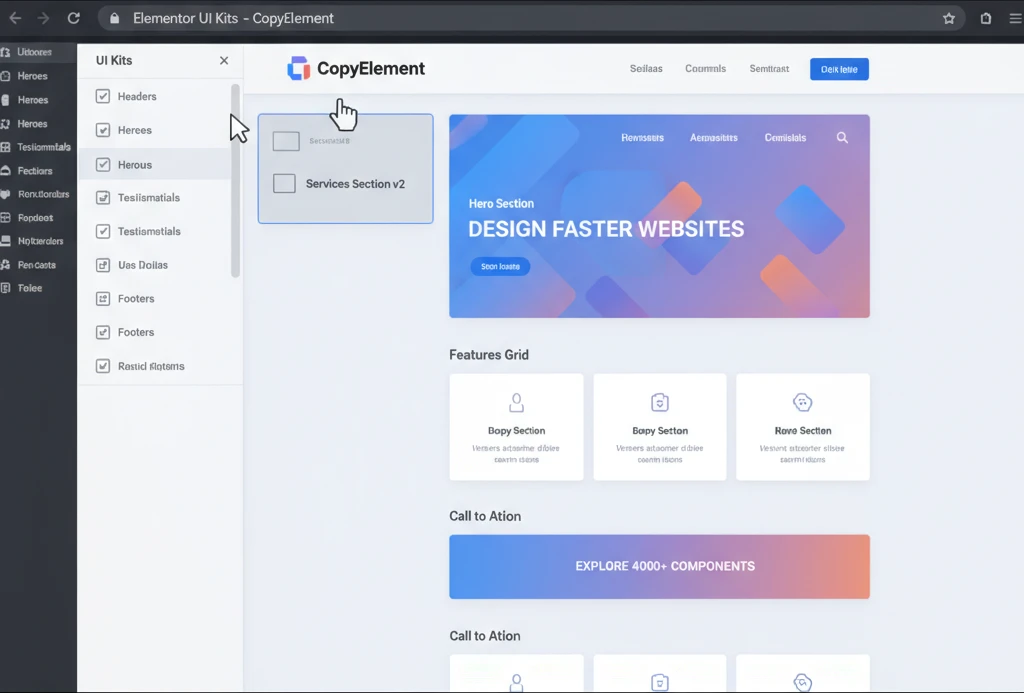
Headers and footers are critical navigational and informational elements of any website, and they are often the first and last things a user interacts with. Using ready-made header and footer UI kits within Elementor significantly streamlines their creation. These kits provide pre-designed layouts that incorporate essential elements like logos, navigation menus, search bars, social media links, and contact information. Instead of painstakingly designing each of these from scratch, you can select a pre-built header or footer that aligns with your desired aesthetic and functionality, then easily customize it with your branding, colors, and content. This not only saves considerable development time but also ensures a consistent and professional look across your entire website, which is vital for user experience and brand recognition.
Hero Section Designs That Convert Instantly
The hero section is arguably the most important part of a landing page or homepage, tasked with capturing visitor attention immediately and conveying the core value proposition. Elementor UI Kits offer a wealth of hero section designs specifically engineered for conversion. These kits typically include visually striking layouts with compelling headlines, clear subheadings, high-quality imagery or video backgrounds, and prominent call-to-action (CTA) buttons. By leveraging these pre-built, conversion-focused hero sections, you can bypass the guesswork of what design elements are most effective. You can quickly select a template, tailor the text and visuals to your campaign, and ensure your landing page makes a powerful first impression that encourages further engagement, as detailed in resources like Build”>Build”>https://blog.copyelementor.com/build-faster-elementor-s-ready-made-sections/”>Build Faster: Elementor’s Ready-Made Sections.
Service Blocks and Feature Cards: Streamlining Content Presentation
Effectively showcasing services or product features is essential for informing potential customers and driving sales. Elementor UI Kits excel in providing pre-designed service blocks and feature cards that simplify this process. These components are meticulously crafted to present information in a clear, organized, and visually appealing manner. They often include space for icons, descriptive text, and compelling imagery, allowing users to highlight key benefits and offerings without extensive design effort. By using these ready-made blocks, businesses can quickly communicate their value proposition, making it easier for visitors to understand what they offer and how it can benefit them. This streamlined content presentation not only saves time but also enhances the overall clarity and impact of the website’s messaging, contributing to better user understanding and conversion rates.
Design Conversion-Focused Landing Pages in Minutes, Not Hours
Creating high-converting landing pages has traditionally been a time-consuming process, requiring extensive design and development effort to ensure all elements are optimized for engagement. Elementor UI Kits fundamentally change this paradigm, enabling users to assemble sophisticated, conversion-focused landing pages with remarkable speed. By providing pre-designed sections and modules, these kits allow for rapid iteration and deployment, freeing up valuable time to focus on strategy and content optimization.
Decision Criteria: When selecting an Elementor UI Kit for landing page design, focus on kits that prioritize conversion elements. This includes well-structured hero sections, clear benefit-driven feature blocks, persuasive testimonial layouts, and prominently placed call-to-action (CTA) modules. The kit should offer a variety of styles that can be easily customized to match your brand. Furthermore, consider the responsiveness of the pre-built templates, ensuring they look impeccable on all devices. Look for kits that have been tested for user engagement and have a track record of contributing to higher conversion rates.
Pitfalls to Avoid: A significant pitfall is opting for generic landing page templates that lack persuasive copy or a clear conversion path. Another mistake is neglecting to customize the pre-built elements sufficiently, resulting in a site that looks templated and uninspired. Overloading a landing page with too many competing CTAs can also dilute its effectiveness. Always remember that the primary goal is conversion; every design choice should support this objective. Ensure that the provided elements are also optimized for speed, as slow-loading pages can deter visitors before they even see your content.
Actionable Step: Identify the core objective of your landing page (e.g., lead generation, product sale, event registration). Then, select an Elementor UI Kit and its components that are specifically designed to support that objective, paying close attention to the arrangement of elements, the prominence of CTAs, and the overall flow of information. This strategic selection ensures you’re building with conversion in mind from the outset.
Anatomy of a High-Converting Landing Page Template
A high-converting landing page template, whether built from scratch or adapted from a UI Kit, possesses a distinct anatomy designed to guide visitors towards a specific action. It typically begins with a compelling hero section that immediately grabs attention, featuring a strong headline, persuasive subheadline, and a clear, benefit-oriented Call-to-Action (CTA). Below this, service or feature blocks concisely explain the offering, often using icons and brief descriptions to highlight key advantages. Trust is built through social proof elements, such as testimonials, client logos, or case study snippets. A well-placed form or a prominent CTA button repeats the primary offer, making it easy for users to convert. Crucially, all these sections are arranged in a logical flow, maintaining visual hierarchy and guiding the user’s eye naturally towards the desired action. Elements like whitespace, typography, and imagery are carefully considered to enhance readability and emotional appeal, creating an environment conducive to conversion.
Integrating Testimonial and Social Proof UI Kits Effectively
Testimonials and other forms of social proof are powerful tools for building trust and credibility, directly impacting conversion rates. When integrating testimonial UI Kits into Elementor, focus on showcasing them prominently and persuasively. Select pre-designed testimonial blocks that feature clear photography of the client, their name, title, and a concise, impactful quote. Avoid cluttering the design; often, a single, well-placed testimonial can be more effective than a carousel of generic endorsements. Consider grouping testimonials by client type or service offered to provide targeted social proof. For other social proof elements like client logos or star ratings, use kits that integrate seamlessly with your page design without appearing tacked on. The key is to make these trust signals feel authentic and visually appealing, reinforcing the value proposition of your offering and encouraging potential customers to take the next step.
Call-to-Action (CTA) Button Kits for Maximum Impact
Call-to-Action (CTA) buttons are the primary drivers of conversion on any landing page, and their design and placement are critical. Elementor UI Kits offer dedicated CTA button kits that go beyond basic styling to include variations designed for maximum impact. These kits often provide buttons with distinct shapes, colors, hover effects, and accompanying text or icon combinations. When implementing them, consider the principles of contrast and prominence: your CTA button should stand out visually from the surrounding content, clearly indicating the desired action. A/B testing different CTA button designs from your UI Kit can reveal which variations perform best for your specific audience and campaign goals. Additionally, ensure the wording on your CTA is action-oriented and clearly communicates the benefit the user will receive upon clicking, transforming a simple button into a powerful conversion tool.
Enhance User Experience with Thoughtfully Crafted UI/UX Design Blocks
Elementor UI Kits go beyond mere aesthetics; they are foundational tools for creating exceptional user experiences. By offering pre-designed blocks with intrinsic UI/UX principles, these kits enable designers to implement intuitive navigation, clear information hierarchy, and engaging interactions right out of the box. This accelerates the design process while ensuring that fundamental user experience best practices are embedded within the website’s structure. The benefit is twofold: faster development and a more user-friendly final product that guides visitors effortlessly through their journey. A well-structured UI/UX design block can significantly reduce bounce rates and increase time on page, directly impacting conversion goals.
Consider the difference between building a contact form from scratch versus using a pre-designed form block from a UI kit. The latter often includes fields already optimized for clarity, proper labeling, and incorporates subtle validation cues. This attention to detail, inherent in many UI kit components, is crucial for minimizing user friction and ensuring that tasks like submitting inquiries or signing up for newsletters are as smooth as possible. Elementor UI kits provide a robust starting point, allowing designers to focus on unique branding and content rather than reinventing common interface patterns. Exploring guides on Elementor UX for intuitive website design can further illuminate how these blocks contribute to overall usability.
Interactive Elements and Micro-Animations with UI Kits
Modern web design demands engagement, and Elementor UI Kits often provide components that incorporate subtle yet impactful interactive elements and micro-animations. These can range from hover effects on buttons and cards to smooth transitions when revealing content or navigating between sections. Such dynamic features not only make a website more visually appealing but also provide crucial visual feedback to the user, confirming actions and guiding their attention. For instance, a button that slightly changes color or size upon hover provides immediate confirmation that it’s clickable. Similarly, a subtle fade-in animation as a new section appears can make the content feel more polished and less abrupt.
The strategic use of micro-animations, facilitated by UI kits, can significantly enhance the perceived performance and responsiveness of a website. When a user clicks a button and sees a subtle loading spinner, it tells them the system is working, even if the actual process takes a moment. This prevents the user from feeling like the site is frozen or unresponsive. Kits often package these animations as part of reusable widgets, meaning you don’t need custom code for each instance. Implementing these effectively requires understanding their purpose—they should aid, not hinder, the user’s task. Overdoing animations can lead to distraction and negatively impact performance, so judicious application is key. Consider how these elements contribute to the overall user journey, ensuring they serve a functional purpose.
Form Design Kits for Seamless User Input
Forms are critical touchpoints for lead generation, customer service, and user engagement. Elementor UI Kits frequently offer comprehensive form design kits that simplify the creation of professional, user-friendly forms. These kits typically include pre-styled input fields, labels, buttons, and validation messages, all designed to work harmoniously. The primary advantage is the reduction in time spent on styling individual form elements and ensuring their consistent appearance across different browsers and devices. A well-designed form can dramatically increase submission rates, directly impacting business objectives.
Beyond basic styling, advanced form kits may also incorporate features like multi-step forms, conditional logic, and custom error messages. These advanced capabilities are essential for collecting complex information without overwhelming the user. For example, a multi-step form can break down a lengthy application process into manageable chunks, each presented on its own screen. Conditional logic allows fields to appear or disappear based on previous user input, ensuring only relevant questions are asked. This streamlines data collection and improves the user’s experience by making the process feel more personalized and efficient. When selecting a form kit, consider its flexibility and the types of fields and integrations it supports, ensuring it aligns with your specific data collection needs.
Gallery and Portfolio UI Kits to Showcase Your Work
For creative professionals, agencies, and businesses showcasing visual assets, gallery and portfolio UI kits are indispensable. These kits provide expertly designed layouts and interactive elements optimized for presenting images, videos, and case studies in an aesthetically pleasing and engaging manner. Options often include grid layouts, masonry designs, carousel sliders, and lightbox pop-ups, each tailored to different types of content and presentation styles. The goal is to create a visually compelling experience that captures attention and effectively communicates the quality of the work being displayed.
A key aspect of these kits is their ability to handle varying image sizes and aspect ratios gracefully, ensuring a clean and professional look regardless of the source material. Many kits also incorporate subtle animations for filtering projects or expanding individual portfolio items, adding a layer of interactivity that keeps users engaged. When choosing a portfolio UI kit, assess its adaptability for different media types and its options for categorization and filtering. This allows users to quickly find the content they are most interested in, improving navigation and overall satisfaction. Effectively showcasing your work is crucial for attracting clients and demonstrating expertise, and these specialized UI kits provide a powerful foundation for achieving that.
Choosing the Right Elementor UI Kit for Your Project’s Needs
Selecting the most suitable Elementor UI kit is a strategic decision that can significantly influence project timelines, design quality, and overall user experience. The vast array of available kits means there isn’t a one-size-fits-all solution; instead, the best choice hinges on a careful evaluation of your specific project requirements. Factors such as the website’s industry, target audience, and the desired level of customization all play a crucial role. A kit that perfectly serves a corporate website might be entirely unsuitable for a creative agency’s portfolio. Therefore, a thoughtful selection process is paramount to leveraging the full potential of UI kits and avoiding future complications.
Beyond superficial appeal, consider the underlying structure and features offered by a UI kit. Some kits are designed with a specific niche in mind, offering components tailored to that industry’s common needs. Others are more general-purpose, providing a broader range of elements that can be adapted. Understanding the long-term implications of your choice—how easily it can be updated, expanded, and maintained—is also essential. A kit that is well-supported and regularly updated by its creators will generally offer a more stable and secure foundation for your website. Prioritizing kits that align with your project’s core objectives will lead to a more efficient development process and a stronger final product, avoiding costly rework down the line.
Assessing Your Website’s Industry and Target Audience
The efficacy of an Elementor UI kit is deeply intertwined with the context of the website it’s used for. Different industries have distinct visual conventions and user expectations. For example, a financial services website might require a more conservative, professional aesthetic with clear, data-driven layouts, whereas a fashion e-commerce site would benefit from visually rich, dynamic components. A UI kit designed for a specific industry often includes pre-built sections like pricing tables tailored for SaaS products, or testimonial sliders optimized for service-based businesses. Researching industry-specific design trends and understanding your target audience’s preferences is crucial for selecting a kit that resonates visually and functionally.
Understanding your target audience’s demographics and digital literacy is equally important. A kit with overly complex or avant-garde designs might alienate an older demographic or users less familiar with modern web interfaces. Conversely, a very basic kit might not engage a younger, more tech-savvy audience. Consider the user’s journey: what information are they looking for? What actions do you want them to take? The UI kit’s components should facilitate these actions intuitively. For instance, if your audience frequently accesses your site via mobile devices, prioritize kits that demonstrably excel in mobile-first design principles. A kit that aligns with these core considerations will contribute to a more effective and user-centric website, reinforcing trust and credibility.
Evaluating the Customization Options of Different Kits
While UI kits offer pre-designed elements, the ability to customize them is paramount for creating a unique brand identity. When evaluating different Elementor UI kits, pay close attention to the flexibility of their components. Can colors, fonts, spacing, and imagery be easily modified without breaking the design’s integrity? Some kits are built with extensibility in mind, allowing for granular control over individual elements, while others might be more rigid, making significant alterations difficult. Look for kits that use Elementor’s native styling options effectively, ensuring that customization can be managed directly within the Elementor editor.
Consider how deeply the kit integrates with Elementor’s global settings for colors and typography. Kits that allow you to update your brand’s primary and secondary colors or font families in one place, and have those changes propagate across all components, offer significant efficiency. Additionally, investigate whether the kit provides ready-to-use templates that can be further customized or if it primarily offers individual blocks and widgets. For agencies or teams looking to maintain brand consistency across multiple projects, a kit that supports the creation of custom global templates or offers robust styling options for Elementor’s theme builder is highly valuable. The ability to easily adapt a kit to your specific branding guidelines will save considerable time and effort.
Performance Considerations: Lightweight vs. Feature-Rich Kits
The performance of a website is a critical SEO factor and directly impacts user experience. When choosing an Elementor UI kit, it’s essential to balance the desire for advanced features with the need for lightweight, fast-loading components. Feature-rich kits might offer a plethora of animations, complex layouts, and extensive widget options. While these can be attractive, they often come with a larger codebase and can lead to slower page load times if not optimized. Conversely, lightweight kits prioritize minimal code and efficient loading, which is generally beneficial for performance.
The ideal approach often involves finding a kit that strikes a good balance or allows you to selectively enable/disable features. Some UI kits are specifically developed with performance optimization in mind, adhering to best practices for code efficiency and asset loading. It’s advisable to check for performance benchmarks or reviews if available. Consider the dependency on external scripts or libraries, as these can also impact load times. If a kit relies heavily on numerous third-party scripts, it might not be the most performant choice. For projects where speed is a top priority, opting for a more streamlined kit or one that explicitly states its performance optimization efforts is recommended. You can learn more about optimizing Elementor’s performance on resources dedicated to Elementor performance.
Implementing Elementor UI Kits: Best Practices for Success
Successfully integrating an Elementor UI kit into your website development workflow requires a methodical approach. It’s not simply a matter of importing assets; rather, it involves understanding how to leverage the kit’s components efficiently while ensuring they align with your project’s unique goals and brand identity. Following best practices from the outset can prevent common pitfalls, streamline the design and development process, and ultimately lead to a higher-quality, more cohesive final product. This section outlines key strategies for effective implementation, focusing on organization, customization, and responsiveness.
Think of a UI kit as a powerful toolbox. Just as a carpenter needs to organize their tools for efficiency, web designers must organize their UI kit assets. This involves importing only what is necessary, categorizing imported elements logically, and establishing a clear naming convention for any custom variations you create. This organization is particularly vital for larger projects or when working within a team, as it ensures everyone can quickly locate and utilize the required design elements. Adopting a systematic approach to implementation not only speeds up the immediate design tasks but also contributes to the long-term maintainability and scalability of the website. Exploring resources on Elementor for faster WordPress websites can provide further insights into efficient component usage.
Importing and Organizing Your UI Kit Assets
The initial step in using an Elementor UI kit is importing its components into your WordPress environment. Most kits offer import options directly through Elementor’s interface or as separate template files. It’s crucial to import only the elements you intend to use initially. Importing an entire kit’s extensive library might clutter your Elementor library and potentially impact performance. Many kits are designed to be modular, allowing you to import sections, templates, or individual widgets as needed.
Once imported, effective organization is key. Elementor’s library allows you to categorize and tag imported blocks and templates. Create custom categories that make sense for your project, such as “Hero Sections,” “Call to Actions,” “Testimonials,” or “Blog Post Layouts.” This ensures that when you’re building a page, you can quickly filter and find the relevant pre-designed components. For teams, establishing a shared organization system is vital. Consider creating a dedicated page within your WordPress backend to showcase and document all available UI kit elements and their intended use. This serves as a reference point and aids in maintaining design consistency across different team members and projects, preventing redundant customizations. Look for kits that provide clear documentation on their import and organization structure to facilitate this process.
Customizing UI Kit Elements to Match Your Brand Identity
The power of UI kits lies not just in their pre-built designs but in their adaptability to your specific brand. Customization is where you transform a generic component into a unique element that reflects your brand’s personality and message. Start by leveraging Elementor’s global styling options. Ensure your brand’s primary and secondary colors, typography (fonts, sizes, weights), and overall design aesthetic are set globally within Elementor. This ensures that when you apply styles to UI kit elements, they automatically inherit your brand’s look and feel, promoting cohesive branding across the entire website.
When modifying individual components, focus on areas that directly impact brand representation: color schemes, typography, spacing, and imagery. If a UI kit component uses placeholder images, replace them with your own high-quality visuals that align with your brand’s style. Adjust padding and margins to ensure the visual rhythm and spacing match your brand’s preferences. For more advanced customization, such as altering the shape of buttons or the structure of a card element, ensure the UI kit is built with flexibility in mind. Some kits offer extensive options within Elementor’s widget settings, while others might require CSS overrides. Documenting any custom CSS or significant modifications is essential for future maintenance and team collaboration. This ensures that your brand remains consistent and that the website feels uniquely yours, not just a template.
Ensuring Responsiveness Across All Devices
A fundamental aspect of modern web design is ensuring that a website looks and functions flawlessly on all screen sizes, from large desktop monitors to small mobile phones. Elementor UI kits are typically designed with responsiveness in mind, but it’s your responsibility as the implementer to verify and fine-tune this. When you place a UI kit element onto your page, always switch to Elementor’s responsive preview modes (tablet and mobile). Carefully examine how each component adapts.
Pay attention to typography scaling, image cropping or resizing, navigation menus, and the spacing of elements. A desktop layout that works well might become cramped or unreadable on a smaller screen. Elementor provides device-specific settings for many properties, allowing you to adjust margins, padding, font sizes, and even hide or show elements based on the screen size. For example, you might want to simplify a complex navigation menu for mobile users or adjust the column layout of a grid. Understanding how to use these responsive controls effectively is crucial. Resources on Elementor responsive design best practices can provide deeper insights. The goal is to create an experience that feels native and intuitive, regardless of the device your visitor is using, ensuring that your carefully chosen UI kit elements work harmoniously across the entire spectrum of devices.
Beyond Speed: How UI Kits Improve Website Quality and Consistency
While the speed enhancement offered by Elementor UI kits is a significant advantage, their contribution to overall website quality and consistency is equally profound. These kits act as a standardized set of building blocks, ensuring that design elements are not only visually appealing but also functionally sound and harmoniously integrated. By providing pre-defined patterns and styles, UI kits help eliminate the guesswork often associated with creating web interfaces from scratch. This leads to a more polished, professional, and user-friendly outcome that resonates with visitors and supports business objectives.
The impact of consistent design cannot be overstated. It builds trust, enhances brand recognition, and makes a website easier to navigate. UI kits provide a framework for achieving this consistency by ensuring that common elements like buttons, forms, and navigation menus always look and behave in a predictable manner across the entire site. This uniformity reduces cognitive load for users, allowing them to focus on the content and the desired actions, rather than deciphering disparate design elements. Furthermore, the structured approach offered by UI kits often leads to fewer design errors, as components are typically well-tested and adhere to established usability principles. Ultimately, the quality improvement extends beyond aesthetics, touching upon the functional integrity and overall user satisfaction with the website.
Maintaining Brand Cohesion with Reusable Design Elements
Brand cohesion is the visual and functional harmony that makes a website instantly recognizable and trustworthy. Elementor UI Kits are instrumental in achieving this by providing a library of reusable design elements that can be consistently applied across all pages and sections of a website. These elements, such as specific button styles, card layouts, typography treatments, and color palettes, are designed to work together. When implemented correctly, they ensure that every part of the website adheres to the brand’s established visual language.
The ability to reuse these elements efficiently is a key benefit. Instead of recreating a styled button or a testimonial block every time it’s needed, designers can simply select and insert a pre-designed component from the UI kit. This not only saves considerable time but, more importantly, guarantees that each instance of that element will have the exact same styling and behavior. This consistency fosters a professional image and reinforces brand identity. For instance, if your brand’s primary call-to-action button has a specific rounded shape and a vibrant accent color, using a UI kit’s button component and applying those global styles ensures every CTA on your site looks identical, strengthening brand recognition and guiding user actions effectively. This systematic approach is a cornerstone of modern branding and is significantly simplified by utilizing well-structured UI kits.
Reducing Design Errors and Inconsistencies
One of the most significant advantages of using Elementor UI kits is their inherent ability to minimize design errors and inconsistencies. When designers work from scratch, it’s easy to introduce subtle variations in spacing, alignment, font sizes, or color shades that, over time, can detract from the website’s overall polish and professionalism. UI kits mitigate this risk by providing standardized, pre-tested components that adhere to a predefined design system. Every button, form field, or heading within a kit has been crafted with consistency in mind.
For example, a UI kit might define a specific set of heading styles (H1, H2, H3, etc.) with consistent typography, color, and spacing applied to each. When you use these pre-defined headings, you ensure that all your H2s, for instance, will look identical across the entire website. This eliminates the possibility of accidentally using a slightly different font size or color for one H2 compared to another. Similarly, form elements are typically designed to be uniform, ensuring a seamless user experience when filling out data. This reduction in visual discrepancies not only leads to a cleaner aesthetic but also improves usability by making the website more predictable and easier to navigate. The predictable nature of these components helps users build confidence in the site’s reliability.
The Role of UI Kits in Collaborative Design Environments
In team-based web development projects, where designers, developers, and content creators often collaborate, Elementor UI Kits play a crucial role in ensuring seamless workflow and consistent output. A shared UI kit acts as a single source of truth for design elements, providing a common language and set of tools that everyone on the team can utilize. This minimizes misinterpretations and reduces the friction that can arise when individuals work with different stylistic interpretations.
When a UI kit is implemented, all team members can access and deploy the same approved components. This drastically reduces the need for constant back-and-forth communication about design specifics, such as “What shade of blue should this button be?” or “What’s the correct spacing for this section?” Instead, the UI kit dictates these standards. This not only speeds up the development process but also ensures that the final website maintains a high level of quality and brand consistency, even with multiple people contributing. For agencies managing multiple client projects, this standardized approach, often discussed in terms of an agency workflow, becomes invaluable for efficiency and client satisfaction. The structured nature of UI kits promotes a more organized and efficient collaborative environment.
Future-Proofing Your Designs with Scalable Elementor UI Kits
As the digital landscape constantly shifts, ensuring your website designs remain relevant and adaptable is paramount. Elementor UI kits offer a robust foundation for building future-proof websites, allowing for seamless integration of new trends without extensive redesigns. These kits provide pre-designed, reusable components that adhere to current design principles, making it easier to update aesthetics and functionality as needed. By leveraging a well-structured UI kit, you invest in a system that simplifies long-term maintenance and scalability, ensuring your website continues to perform and impress for years to come.
The core advantage of UI kits lies in their inherent modularity. Each component is designed to be independent yet harmonious with others, meaning you can swap out or update individual elements—like a button style or a navigation bar—without affecting the entire site’s structure. This approach is crucial for adapting to evolving design trends, such as the recent surge in minimalist interfaces, dark mode implementations, or more interactive user experiences. Instead of rebuilding pages from scratch, you can efficiently update your site’s look and feel by modifying the components within your chosen UI kit. This also significantly aids in maintaining a consistent brand identity across your entire website, a key factor in user trust and recognition.
Adaptability for Evolving Design Trends
The lifespan of a website’s design is increasingly short due to rapid shifts in user expectations and aesthetic preferences. Elementor UI kits act as a powerful tool to combat this obsolescence by providing a framework that is inherently adaptable. When a new design trend emerges—whether it’s a focus on neumorphism, glassmorphism, or a return to more organic shapes—a well-designed UI kit allows for quick iteration. You can often achieve a fresh look by simply adjusting color palettes, typography, and spacing within the existing component structure. This agility means your website remains current and engaging without requiring a complete overhaul every time design conventions change. For instance, if bolder typography becomes the norm, you can update the font styles in your UI kit’s global settings, and this change will cascade across all instances of that text element on your site.
Consider the shift towards accessibility standards. Modern UI kits are often built with accessibility in mind from the outset, ensuring sufficient color contrast, keyboard navigability, and semantic HTML. As accessibility guidelines evolve, updating these components becomes far more manageable than retrofitting an entire site. Furthermore, the modular nature of UI kits supports the integration of new interactive elements, such as micro-animations or personalized content modules, without disrupting the overall design integrity. This proactive approach to design evolution is what truly makes a website “future-proof.” For web designers and agencies, this translates to more efficient project timelines and a higher client satisfaction rate as their websites stay visually competitive.
How UI Kits Support Long-Term Website Maintenance
Website maintenance can become a significant burden if the underlying design structure is complex and inconsistent. Elementor UI kits streamline this process by establishing a set of standardized, reusable components. This standardization means that when a bug needs fixing or an update is required, developers or content managers can quickly locate and modify the relevant component. For example, if a specific button style needs a minor tweak due to a new user feedback, updating the master button component within the UI kit will instantly apply that change across every instance of that button on the website. This dramatically reduces the time and effort associated with routine maintenance tasks.
Beyond immediate fixes, UI kits simplify the introduction of new content or features. When adding a new testimonial section, for instance, you can pull a pre-designed testimonial block from your UI kit and customize it, ensuring it perfectly matches the site’s existing design language. This consistency is vital for a professional online presence and prevents the visual fragmentation that often occurs with ad-hoc additions. By providing a single source of truth for design elements, UI kits also empower teams by ensuring everyone is working with the same set of approved components. This collaborative efficiency is invaluable for agencies and larger organizations looking to maintain multiple websites or ensure brand consistency across diverse projects. The initial investment in a structured UI kit pays dividends in reduced maintenance costs and a more robust, easily managed website over time. You can explore best practices for responsive design, which is closely tied to long-term site health, in this guide to Elementor responsive design.
Integrating UI Kits with Advanced Elementor Features
Elementor itself offers a rich set of advanced features that can be powerfully combined with UI kits. Features like Global Styles, custom CSS, and motion effects can be deeply integrated into your UI kit components. For instance, when you define global colors and fonts within Elementor, these settings can be applied to your UI kit’s elements, allowing for site-wide branding consistency. When a client requests a brand color update, changing the global color in Elementor automatically propagates to all UI kit elements that use that color. This synergy ensures that the standardized components of your UI kit are fully leveraged by Elementor’s dynamic capabilities.
Furthermore, advanced Elementor features like custom attributes and JavaScript hooks can be incorporated directly into your UI kit’s components. This allows for the creation of highly interactive and dynamic elements that are still maintainable. For example, a UI kit might include a modal component with built-in animations triggered by Elementor’s motion effects. Or, a complex form component could have custom data attributes set up to integrate with a specific CRM via JavaScript. This level of integration ensures that your UI kit doesn’t just provide static design elements but a flexible system that can grow with technological advancements and user demands. Understanding how to effectively utilize Elementor’s built-in tools, such as its ready-made sections, can further enhance the speed and effectiveness of using UI kits, as discussed in this article on Elementor’s ready-made sections.
Maximizing Your Investment: Advanced Tips for Elementor UI Kit Users
Once you’ve adopted Elementor UI kits, the next logical step is to explore how to extract the maximum value from them. This involves not only efficient usage but also strategic customization and integration with broader workflows. Beyond simply applying pre-made components, advanced users can leverage UI kits to create highly personalized design systems that align perfectly with their brand or client needs. This can involve extending the existing library, building proprietary kits, or integrating them into more complex development processes. The goal is to move beyond a collection of individual components and establish a robust, scalable design architecture.
Maximizing your investment means thinking about the UI kit as a living system, not a static asset. It’s about understanding its potential for future growth, its role in team collaboration, and its impact on overall project efficiency. This section will delve into strategies that elevate your use of Elementor UI kits from basic implementation to advanced utilization, ensuring you unlock their full power for faster, more sophisticated website development. By adopting these practices, you can significantly enhance your design workflow, improve website performance, and deliver superior results for your clients or personal projects.
Creating Your Own Custom UI Kits from Scratch
While pre-built Elementor UI kits offer immense value, the ultimate in customization and brand alignment comes from creating your own from scratch. This process begins with a deep understanding of your brand’s visual identity and user experience goals. You’ll define a core set of foundational elements—typography scales, color palettes, spacing systems, and button styles—that will serve as the building blocks for your entire kit. This meticulous planning ensures consistency and scalability from the ground up. For example, you might establish a precise vertical rhythm using a consistent line-height and margin system that applies to all text elements, from headings to body copy.
The next step involves systematically designing and building each component within Elementor. This includes common elements like navigation bars, footers, cards, forms, and calls-to-action, as well as more unique or industry-specific modules. Each component should be created as a reusable template part or saved as a global element within Elementor. This ensures that when you need to use it on a page, you simply insert it, and any future updates to that master component are reflected everywhere. This method is especially beneficial for agencies aiming to establish a proprietary design language. Consider developing a comprehensive style guide alongside your UI kit to document usage, design principles, and accessibility considerations, providing a clear reference for all team members. This ensures that your custom UI kit not only looks good but is also maintainable and scalable for the long term. For inspiration on building robust Elementor sites efficiently, exploring how to build faster WordPress websites with components can be highly beneficial.
Using UI Kits in Conjunction with CopyElement’s Extensive Library
For users seeking an unparalleled depth of pre-designed elements, integrating a robust UI kit with a comprehensive library like CopyElement offers a significant advantage. CopyElement provides a vast collection of over 4000+ ready-to-use UI components and professionally designed templates. When combined with your own custom UI kit or a curated selection of pre-made kits, this library becomes an almost inexhaustible resource for rapid website development. You can cherry-pick specific components from CopyElement to augment your existing kit or use entire templates as a starting point for complex page layouts, knowing that they are designed with conversion and modern aesthetics in mind.
The synergy lies in CopyElement’s diverse range of components catering to various industries and functionalities, alongside the structural consistency of a dedicated UI kit. For instance, if your UI kit excels at foundational elements like buttons and typography but lacks specialized e-commerce product displays, you can seamlessly import and integrate CopyElement’s e-commerce blocks. This approach allows you to build highly customized and feature-rich websites much faster than starting from scratch or relying on a single, limited UI kit. It empowers designers and developers to focus on unique project requirements rather than reinventing common design patterns. The platform’s emphasis on conversion-focused layouts and pre-built sections means you can accelerate the creation of high-performing landing pages and entire website structures, as highlighted in this guide to Elementor templates for agency workflows. The key is to strategically blend the organizational structure of your UI kit with the sheer variety and specialized functionality found in extensive libraries like CopyElement.
Performance Optimization Strategies for Elementor Websites Built with UI Kits
While UI kits significantly speed up the design and development process, it’s crucial to ensure they don’t negatively impact website performance. A common pitfall is the accumulation of unnecessary code or overly complex styling within components. To mitigate this, adopt a “less is more” approach when selecting or building components. Audit your UI kit regularly, removing any unused styles, scripts, or elements. Elementor itself offers tools to optimize performance, such as disabling unused widgets and optimizing the loading of CSS and JavaScript files. For instance, when saving a section or widget as a reusable part, be mindful of the scripts and styles it loads. Only include what is essential for that component’s functionality.
Furthermore, strategies like lazy loading for images and videos within components, especially those in the lower fold of a page, are critical. Utilize Elementor’s built-in features or performance plugins to implement this. For example, a testimonial block might contain an image; lazy loading ensures this image only loads when the user scrolls down to that section. Another vital optimization technique is to ensure your UI kit components are coded efficiently. Avoid overly complex nesting of elements or excessive use of inline styles, which can bloat your HTML and CSS. Opt for well-structured, semantic HTML and leverage CSS classes efficiently. Combining these practices with dedicated Elementor performance optimization techniques can ensure your visually rich, component-driven websites load quickly. This is essential for user experience and SEO, making topics like optimizing Elementor website speed a critical area to master. For advanced techniques related to caching, consider exploring how to optimize website speed with component caching.
By integrating UI kits thoughtfully and applying performance best practices, you can create websites that are not only visually appealing and quick to build but also maintainable and fast-loading for end-users. This holistic approach ensures a superior digital product.